Je leert Recordo het makkelijkst kennen door het te gebruiken zoals ADHD-gedachten opduiken: snel, rommelig en op het moment zelf. Typ of zeg in gewone woorden wat er in je hoofd zit en laat Recordo het voor je vasthouden.
Deze pagina laat de belangrijkste onderdelen zien, waar je ze vindt en hoe ze samenwerken als je snel iets wilt vastleggen, minder overweldigd wilt zijn en steun zoekt die bij ADHD past in plaats van star aanvoelt.
1. Leg het meteen vast, Recordo sorteert
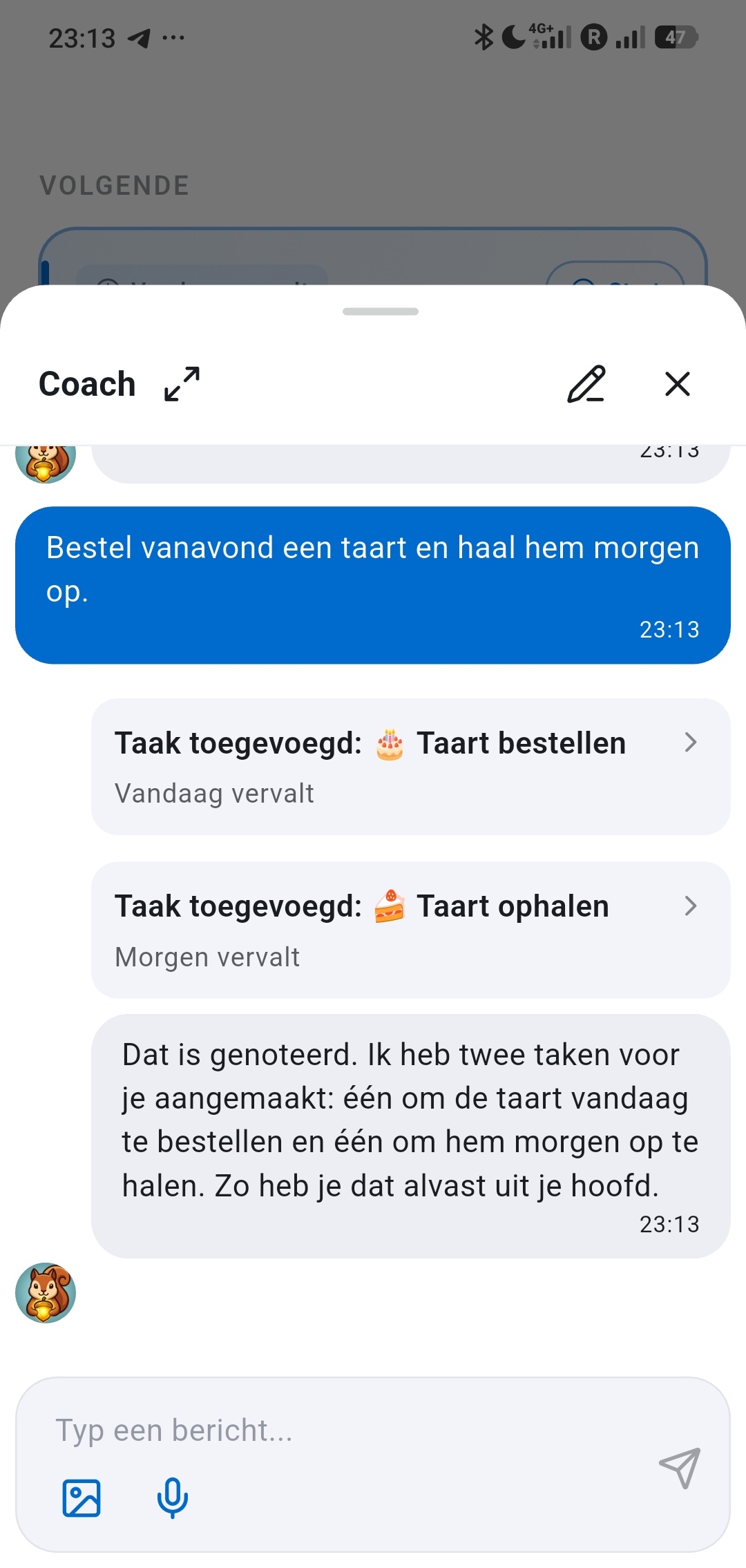
Gebruik de centrale knop Snel toevoegen of open Coach en stuur een bericht alsof je iemand appt. Recordo kan van één rommelig bericht meerdere taken, herinneringen of notities maken, zonder dat je eerst hoeft te ordenen.
Dat is de kern: haal de gedachte snel uit je hoofd en laat Recordo pas daarna sorteren, niet ervoor.
Staat het al op je scherm? Deel tekst of een screenshot vanuit een andere app met Recordo, en Snel toevoegen opent al ingevuld. Afbeeldingen en screenshots delen vraagt Pro.
2. Bewaar taken én notities
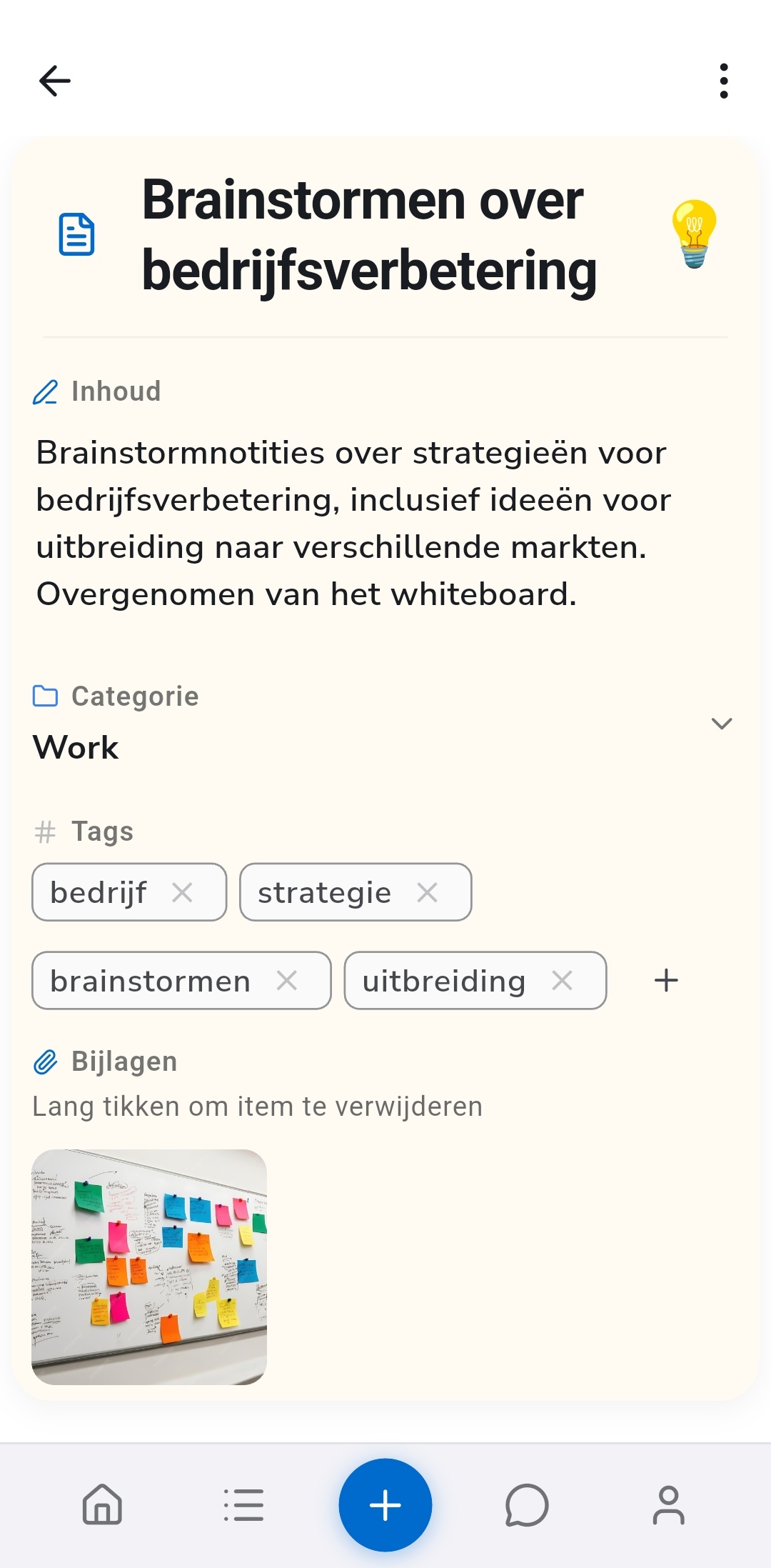
Recordo is niet alleen een takenlijst. Sommige gedachten vragen om actie. Andere moeten gewoon veilig bewaard blijven tot je ze weer nodig hebt.
- Voorbeelden van taken: morgen de tandarts bellen, de energierekening betalen, elke ochtend vitamines nemen.
- Voorbeelden van notities: een cadeau-idee, een detail uit een meeting, een adres, een citaat of een half idee waar je nog niets mee wilt.
Twijfel je, leg het dan toch vast. Je kunt het later in het detailscherm aanpassen, en Coach helpt je het terug te vinden, ook als je de titel niet meer weet.
3. Bekijk alles in Items
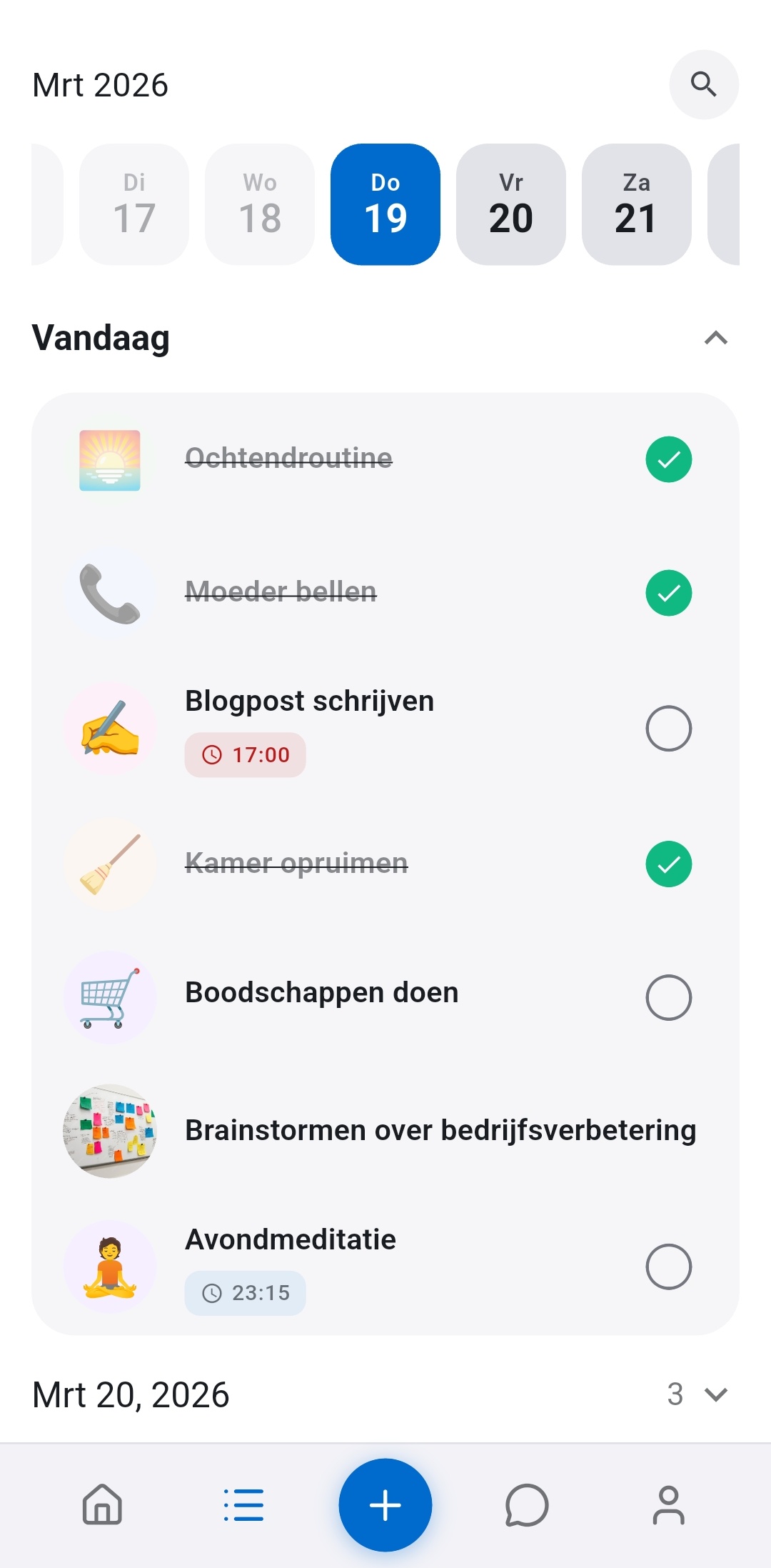
Items is het volledige overzicht van alles wat je hebt vastgelegd. Hier voelt Recordo minder als een chat en meer als een betrouwbaar systeem.
- Open taken en notities om details, titels en inhoud te bewerken.
- Pas vervaldatums, herinneringen, herhaling of status aan als plannen veranderen.
- Zoek oudere items op in plaats van alles handmatig door te scrollen.
- Gebruik het als je betrouwbare bron wanneer je het hele plaatje wilt zien, niet alleen de volgende stap.
- Kies wanneer een taak je herinnert: op de vervaltijd, minuten of uren ervoor, of helemaal niet. Stel je gebruikelijke voorsprong één keer in als Standaard taakherinnering in Profiel. Zo werken herinneringen
- Sleep een taak om je dag te herschikken of zet hem op een andere dag om hem te verplaatsen. Houd ingedrukt om meerdere taken te selecteren en verplaats ze dan in één keer naar een project of een nieuwe datum, of verwijder ze.
In Items zie je ook hoe gemengd het echte leven is: snelle gedachten, serieuze afspraken en terugkerende routines op één tijdlijn, in plaats van verspreid over verschillende apps.
4. Bundel wat bij elkaar hoort in projecten
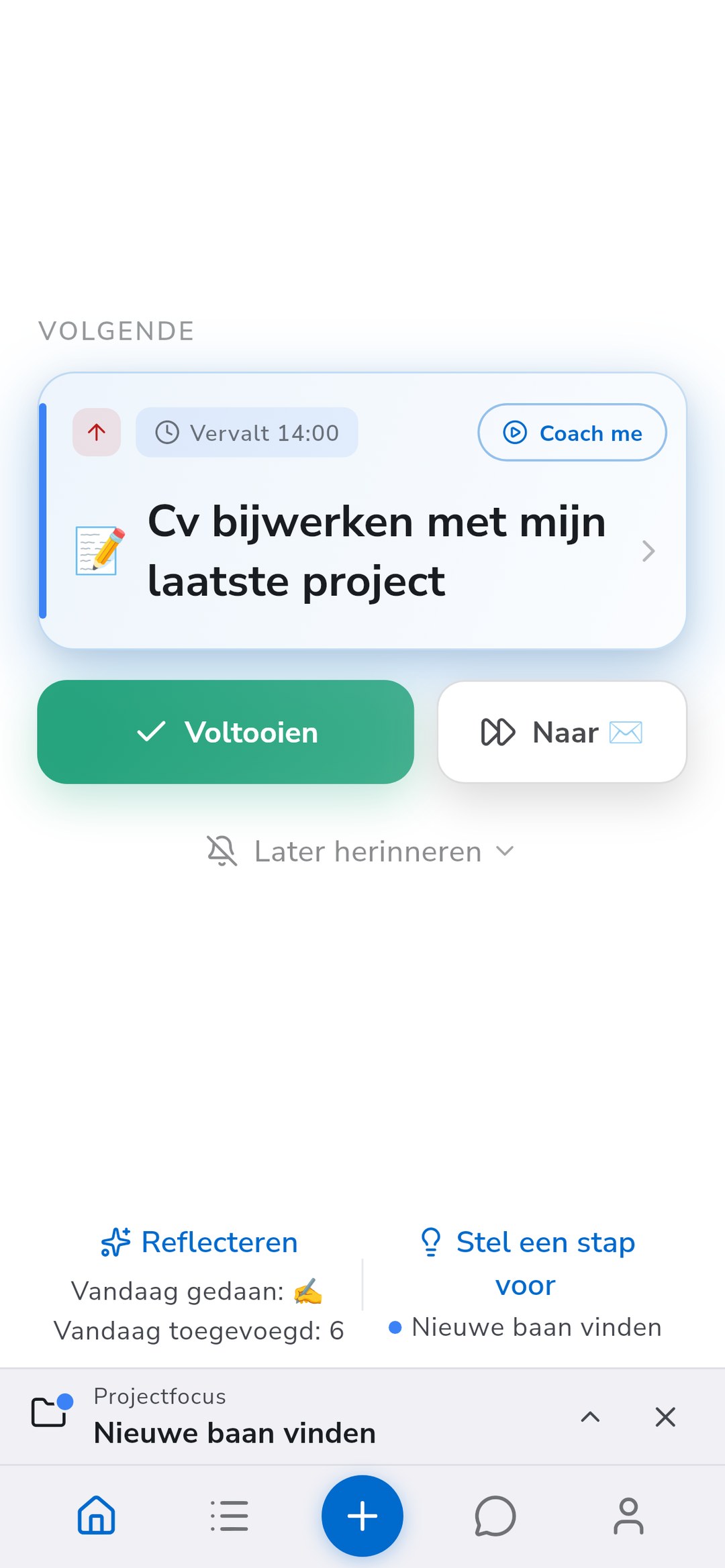
Sommige taken horen bij elkaar: een baan vinden, een verhuizing plannen, reisideeën verzamelen. Een project houdt die taken en notities op één plek, zodat een groter doel niet meer over je hele lijst verspreid ligt.
- Wil je een taak of notitie in een project zetten, open hem dan en tik op Project, of tik op Project terwijl je hem met de hand toevoegt. Je projectenlijst gaat open en je kiest waar hij hoort. Wil je meerdere taken tegelijk verplaatsen, houd ze dan ingedrukt om ze te selecteren en kies Naar project verplaatsen.
- Een nieuw project maak je met Nieuw project onderaan die lijst. Geef het een naam en een van tien kleuren, en beschrijf als je wilt voor welk doel of onderwerp het is.
- Gebruik Filters in Items om één project te tonen, of alles zonder project, zowel in de lijst als in de kalender. Projectkleuren markeren ook items, kalenderblokken en de kaart met de volgende taak op Home.
- Tik op Home op Focus op een project als één gebied je aandacht nodig heeft. Home kiest dan de volgende taak uit dat project, Items toont alleen dat project, en nieuwe taken die je met de hand of via Coach toevoegt komen erin terecht tot je de focus beëindigt.
Projecten zijn gratis, zonder limiet op het aantal. Je kunt Coach ook vragen wat er in een project nog openstaat, of hem vragen een taak bij een project op naam te zetten.
5. Laat Home je focus versmallen
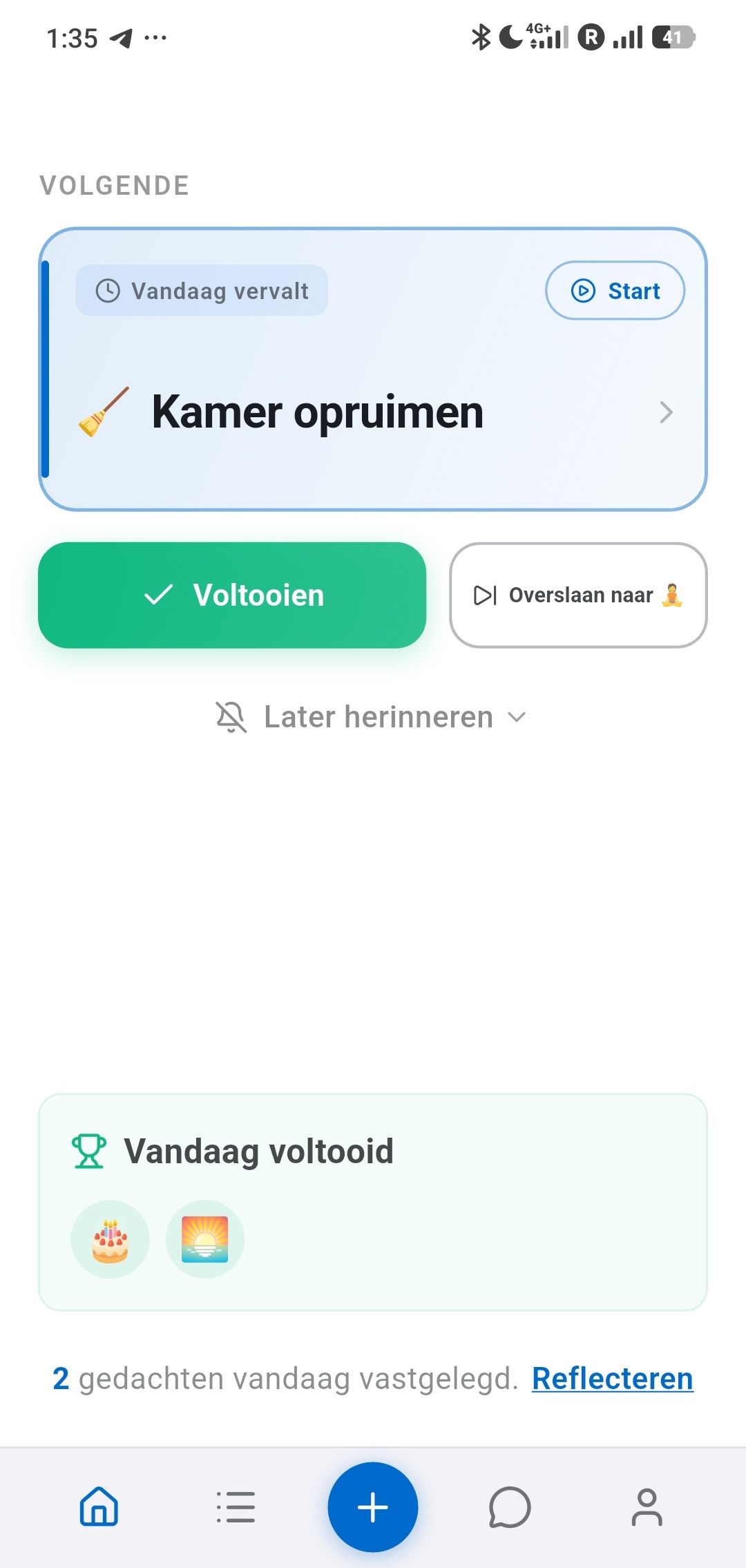
Overweldiging is een van de grootste ADHD-problemen die Recordo wil oplossen. Home gooit niet je hele leven over je heen. Het laat zien wat nu telt, waaronder je volgende taak en je voortgang van vandaag.
- Gebruik Home als je één duidelijke volgende stap wilt in plaats van je hele achterstand.
- Gebruik Items als je het hele systeem wilt zien en iets wilt bewerken of zoeken.
- Gebruik Coach als je het gewoon wilt vragen: Waar moet ik me vandaag op richten? Wat heb ik over de belasting opgeslagen? Zet de was op morgen.
Deze drie onderdelen vullen elkaar aan: Home versmalt, Items geeft overzicht en Coach begrijpt wat je bedoelt. Zo kiest Recordo je volgende taak
6. Houd Recordo binnen één tik met widgets
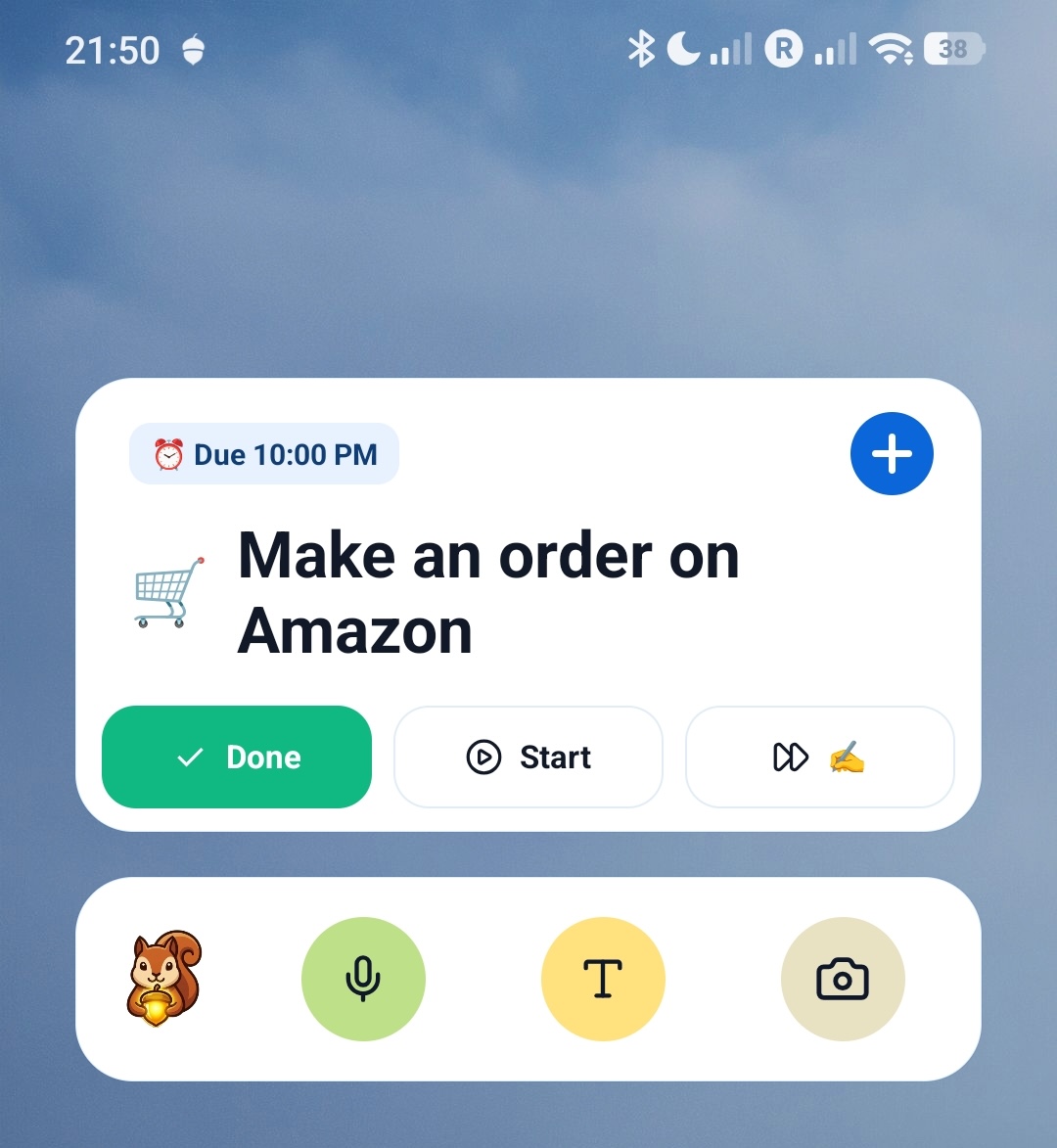
Als Recordo helpt omdat het snel is, doen widgets ertoe. Ze verkleinen de afstand tussen een gedachte en een opgeslagen taak en houden je volgende actie zichtbaar voordat je de app zelfs maar opent.
- Gebruik de widget Snelle invoer als je iets zo snel mogelijk uit je hoofd wilt krijgen.
- Gebruik de widget Volgende taak als je je huidige prioriteit direct op je beginscherm wilt zien.
- Gebruik de widget Taken voor vandaag om de lijst van vandaag te zien en taken met één tik af te vinken.
Je voegt widgets toe via Profiel, waar Recordo de beschikbare widgets met een voorbeeld laat zien voordat je ze plaatst.
7. Open Momentum Modus met Start
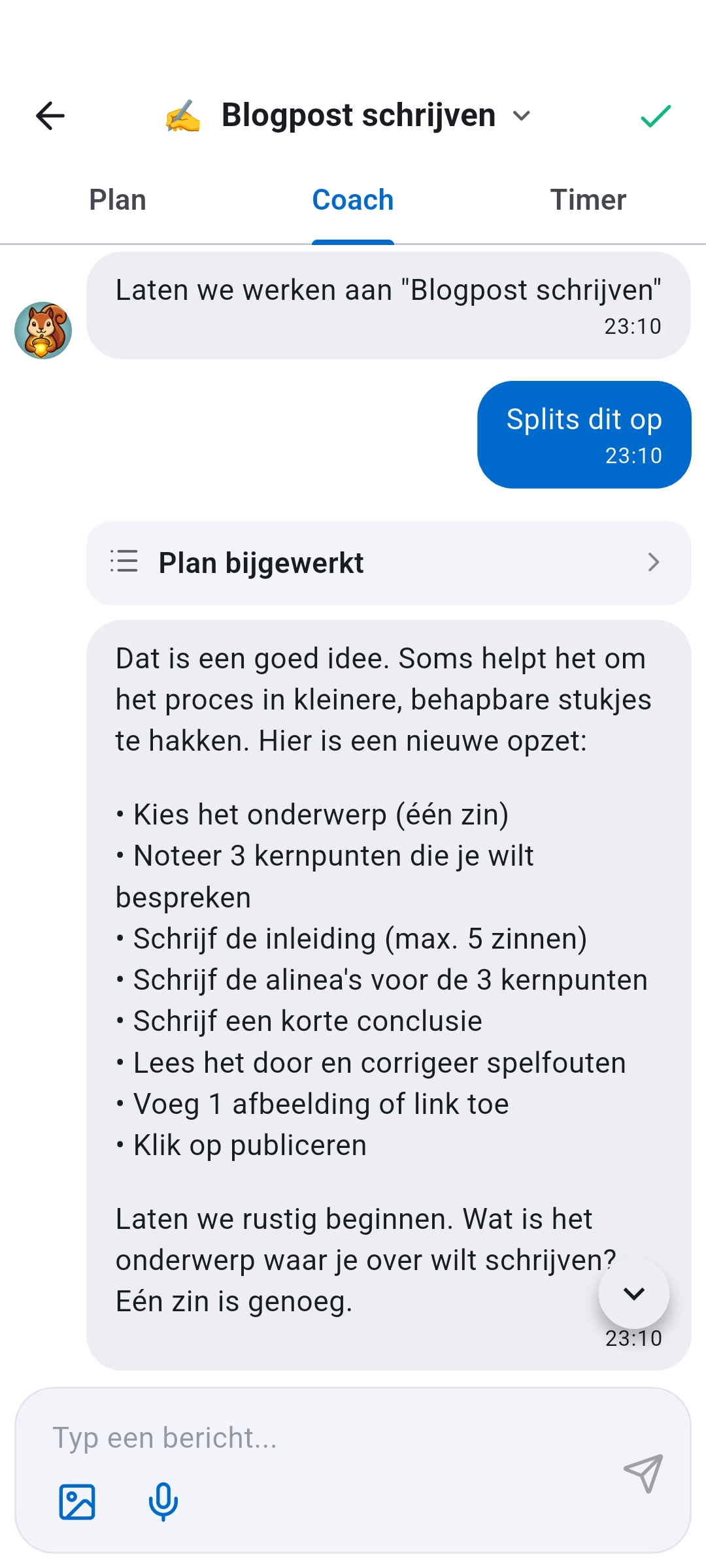
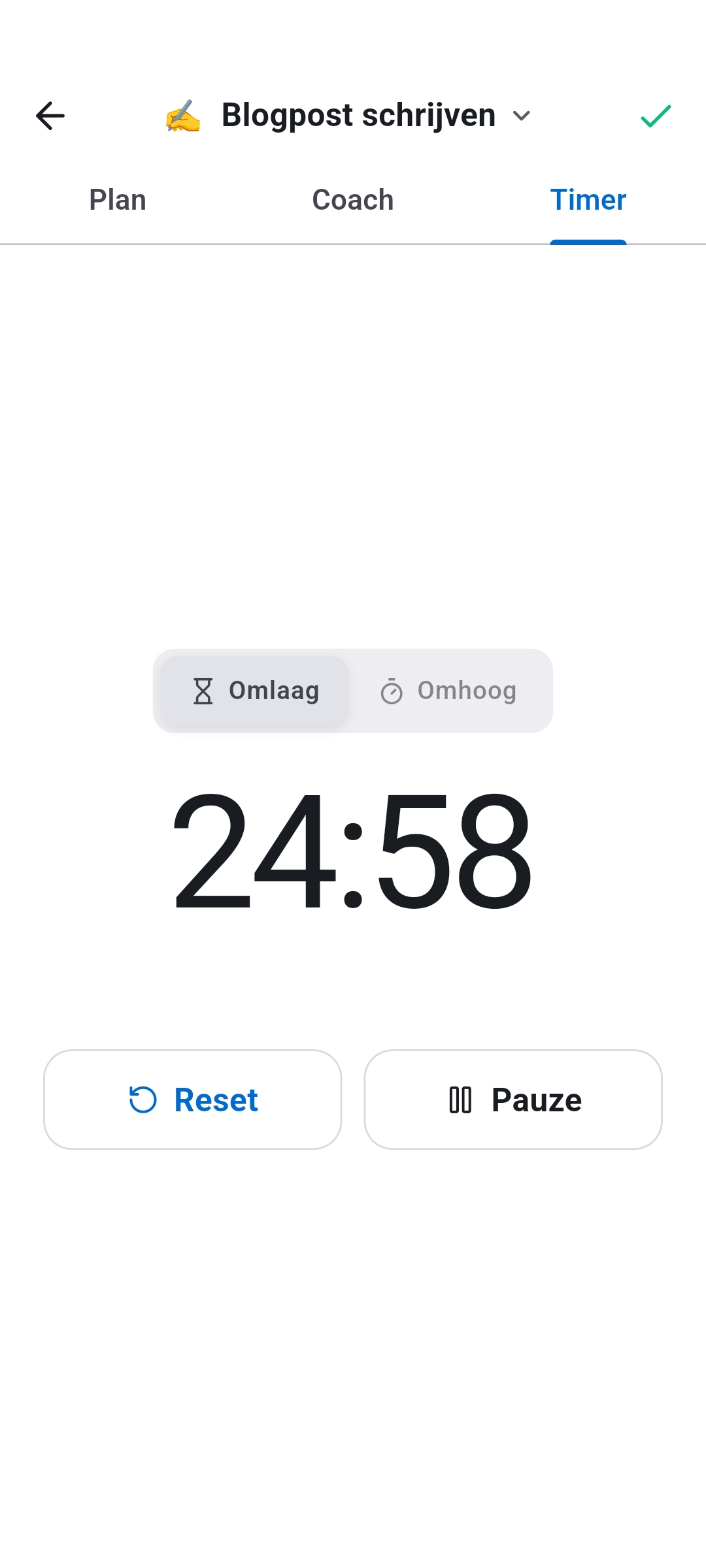
Momentum Modus is voor het moment waarop je de taak kent, maar toch niet kunt beginnen. In plaats van je alleen te laten met een zware taak, krijg je Plan, Coach en Timer op één plek.
- Zoek een taak op Home, in Items of in het detailscherm van de taak.
- Tik op Start.
- Gebruik Coach als je hulp nodig hebt bij het beginnen, Plan als je een checklist wilt, of Timer als je klaar bent voor een gefocuste sessie.
Momentum werkt het best bij vage, zware of vaak uitgestelde taken, waar beginnen het echte probleem is. De timer telt hier, omdat korte, zichtbare focussessies een voornemen vaak in beweging zetten en het makkelijker maken om na afleiding terug te komen. Zo helpt de focustimer je beginnen
8. Laat Coach passen bij hoe jij werkt
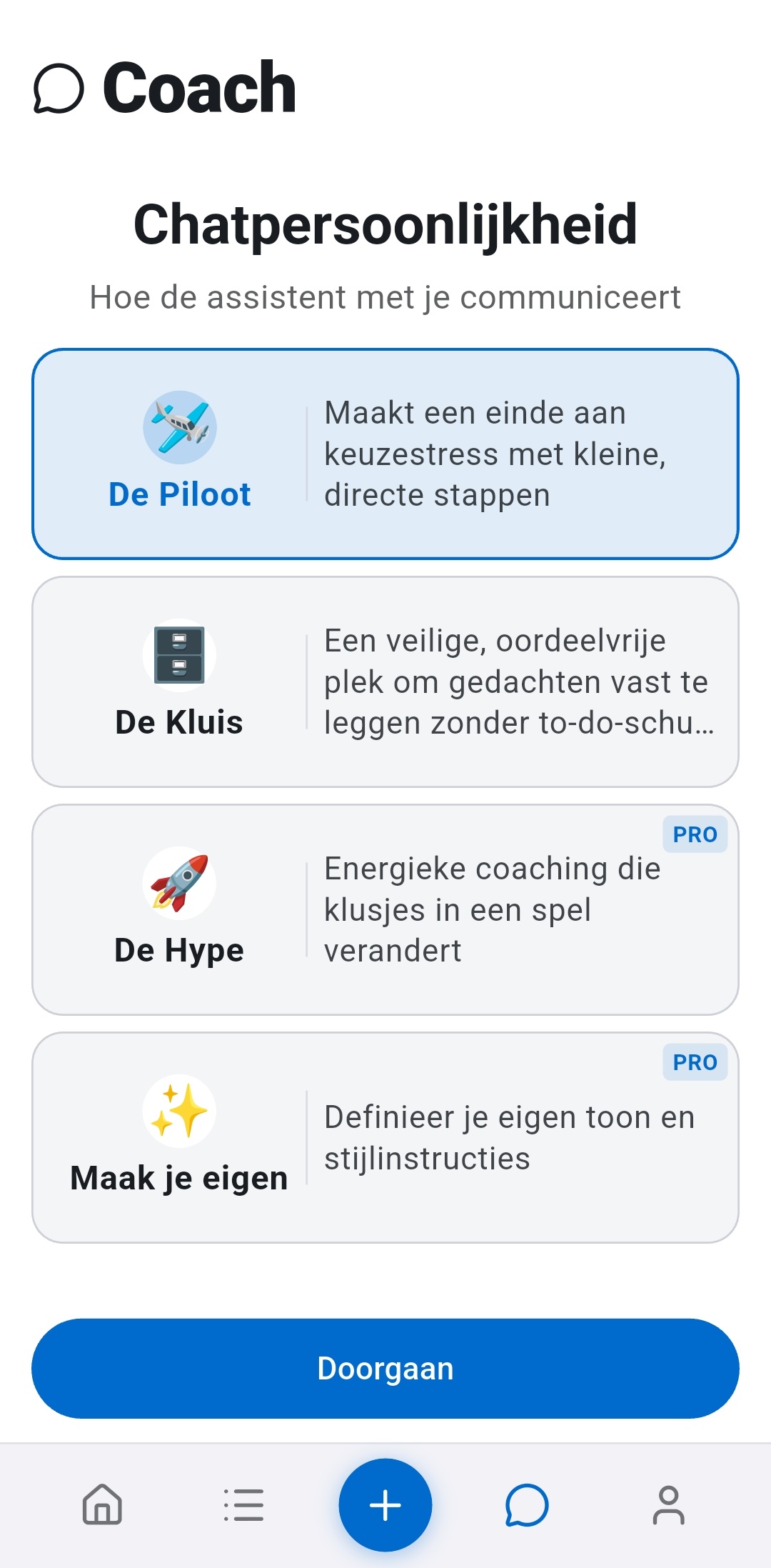
Recordo heeft ingebouwde persoonlijkheden, zodat dezelfde app verschillende ADHD-toestanden kan ondersteunen in plaats van altijd dezelfde toon aan te slaan.
- De Piloot: rustig, direct en geruststellend als je een duidelijke volgende stap nodig hebt.
- De Maat: warm, empathisch en zonder oordeel als je gestrest of ontmoedigd bent.
- De Hype: energiek en speels als je vaart en een zetje wilt.
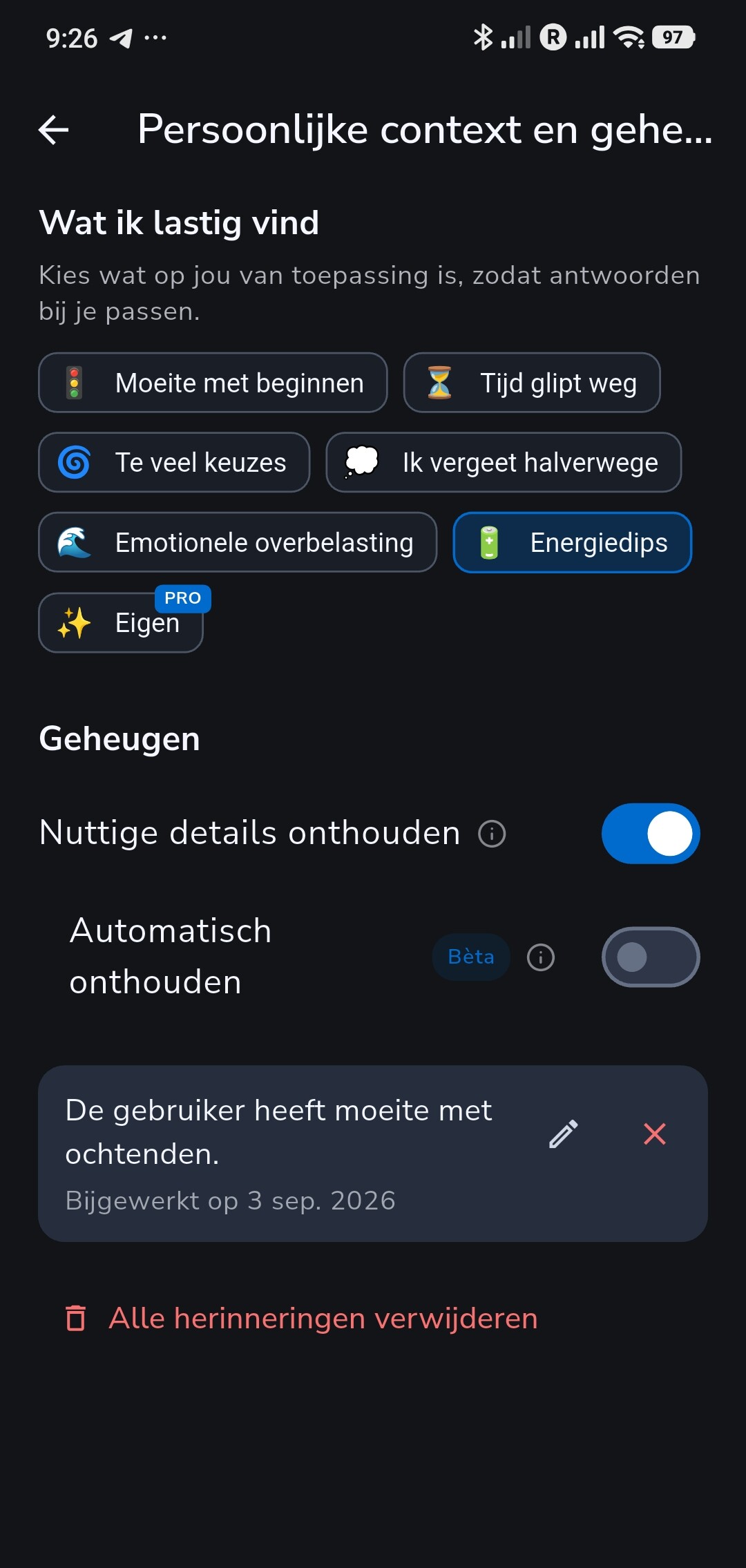
Onder Wat ik lastig vind kun je ook aangeven waar je moeite mee hebt, zoals Moeite met beginnen, Tijd glipt weg, Te veel keuzes of Energiedips, zodat de coach zich beter aanpast aan hoe jij werkt.
Coach kan ook nuttige details onthouden. Zet Nuttige details onthouden aan onder Persoonlijke context en geheugen en vraag hem dan iets te onthouden, bijvoorbeeld dat ochtenden zwaar voor je zijn. Latere chats gebruiken dat, en elke herinnering blijft zichtbaar zodat je hem kunt bewerken of verwijderen. Automatisch onthouden is een optionele bèta die nuttige details oppikt zonder dat je erom vraagt.
9. Plan je dag en week in de kalenderweergave
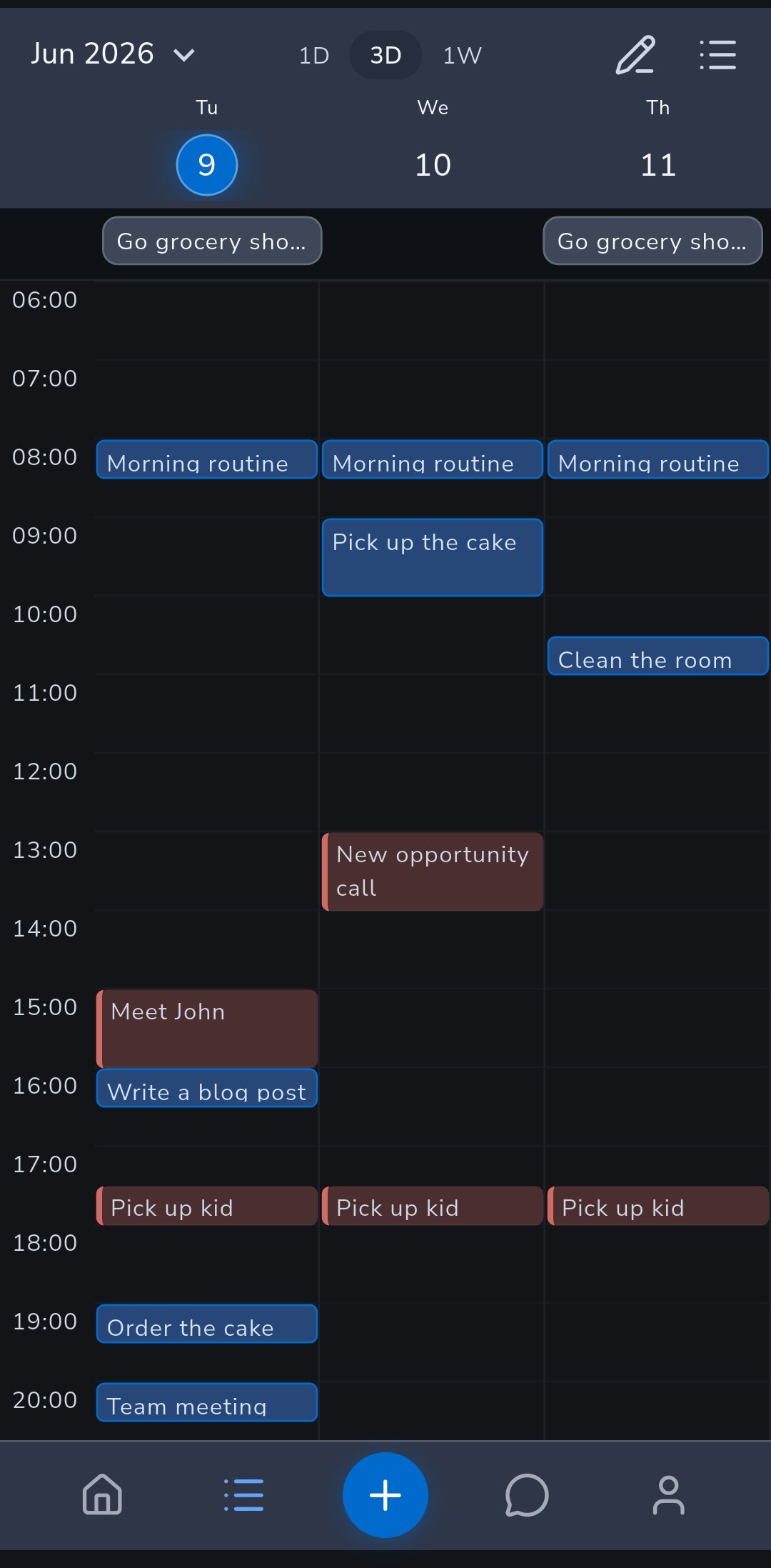
Niet alles werkt als een gewone lijst. Zet Items op Kalender en kies Dag, 3 dagen of Week om je taken op een tijdraster te zien en ze echte tijd te geven.
- Houd een taak ingedrukt en sleep hem naar een andere tijd of dag. Taken zonder tijd wachten in de rij Geen tijd ingesteld, zodat ze zichtbaar blijven in plaats van te verdwijnen.
- Gebruik het om overvolle dagen te zien voordat ze tot gemiste afspraken leiden.
- Stel onder Slaap in Profiel een Slaapvenster in, en de kalender markeert die uren. Taken met een tijd die erin vallen worden gemarkeerd, en Coach vraagt het eerst voordat hij daar iets inplant. Het slaapvenster is gratis.
Met Pro kun je ook Apple Health of Health Connect koppelen. Na een duidelijk kortere nacht dan normaal kan Home je Maak vandaag lichter aanbieden, dat Coach opent om de dag samen met je door te nemen.
Met Pro open je Agenda-integratie in Profiel om je Google Agenda-afspraken binnen te halen, zodat je plant rond je echte schema, of abonneer je op een privéfeed die je Recordo-taken toont in Apple Agenda, Google Agenda of Outlook.
10. Laat automatiseringen je lijst bijwerken
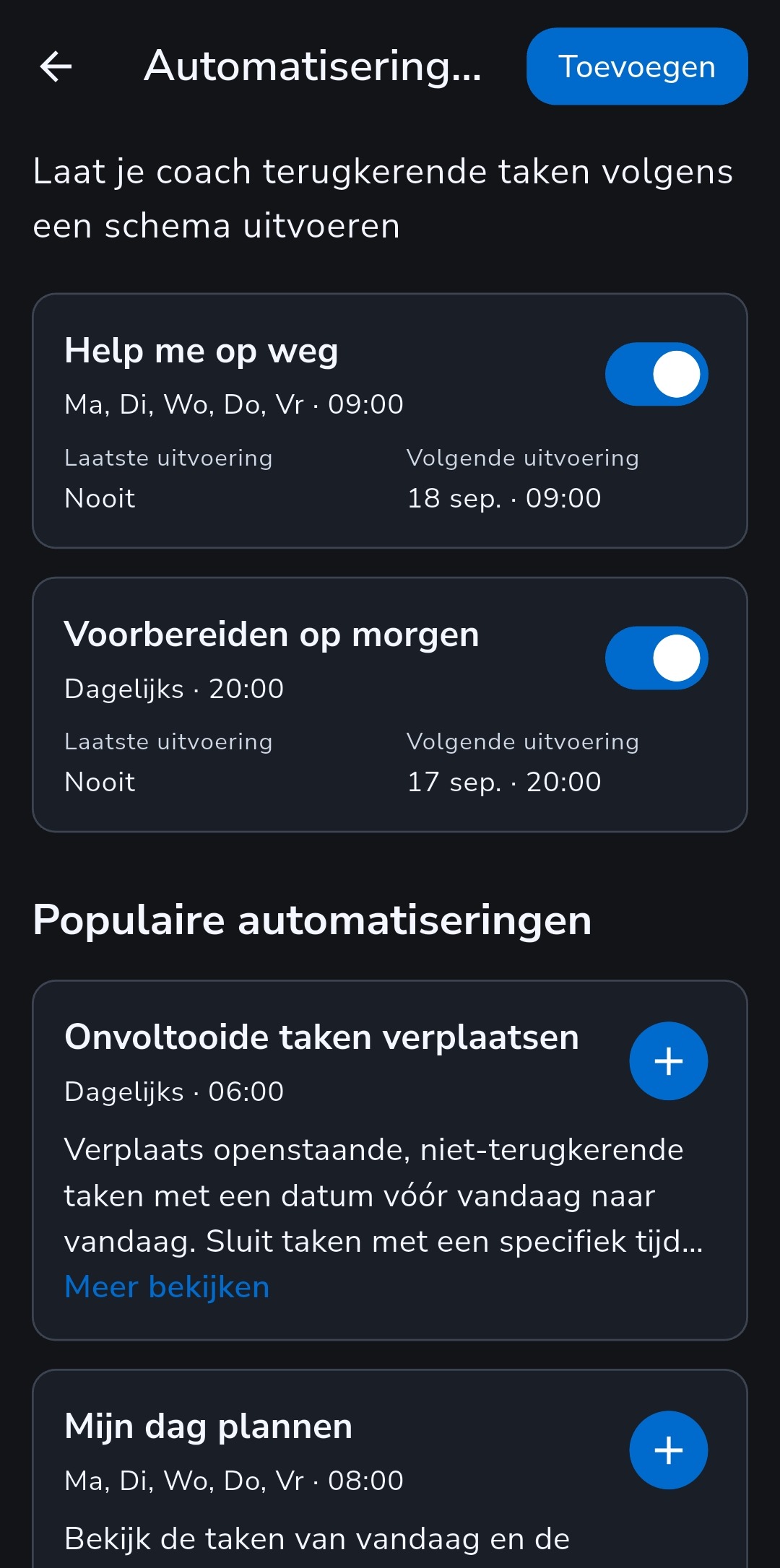
Een ADHD-lijst veroudert ongemerkt: de onafgemaakte taken van gisteren blijven op oude datums staan tot de hele lijst te muf voelt om te openen. Automatiseringen zijn instructies die Coach volgens een schema uitvoert, ook als de app gesloten is.
Begin met Onvoltooide taken verplaatsen. Standaard elke ochtend om 6:00 zet deze open taken van eerdere dagen op vandaag, laat taken met een vaste tijd en terugkerende taken staan waar ze staan, en vertelt je wat er is verplaatst.
- Mijn dag plannen: op werkdagen om 8:00 een realistisch plan voor vandaag met pauzes en één makkelijke eerste stap. Je taken blijven ongewijzigd.
- Help me op weg: op werkdagen om 9:00 één haalbare taak voor vandaag en een concrete eerste stap.
- Je eigen instructie: beschrijf in gewone woorden wat je wilt en kies dan een tijd, de dagen en of je een melding wilt.
Elke uitvoering wordt een gesprek dat je kunt openen en beantwoorden. Het gratis abonnement bevat één actieve automatisering, dus Onvoltooide taken verplaatsen kost je niets. Pro heft de limiet op. Bekijk precies wat er elke ochtend verschuift
11. Gebruik Recordo waar je al bent
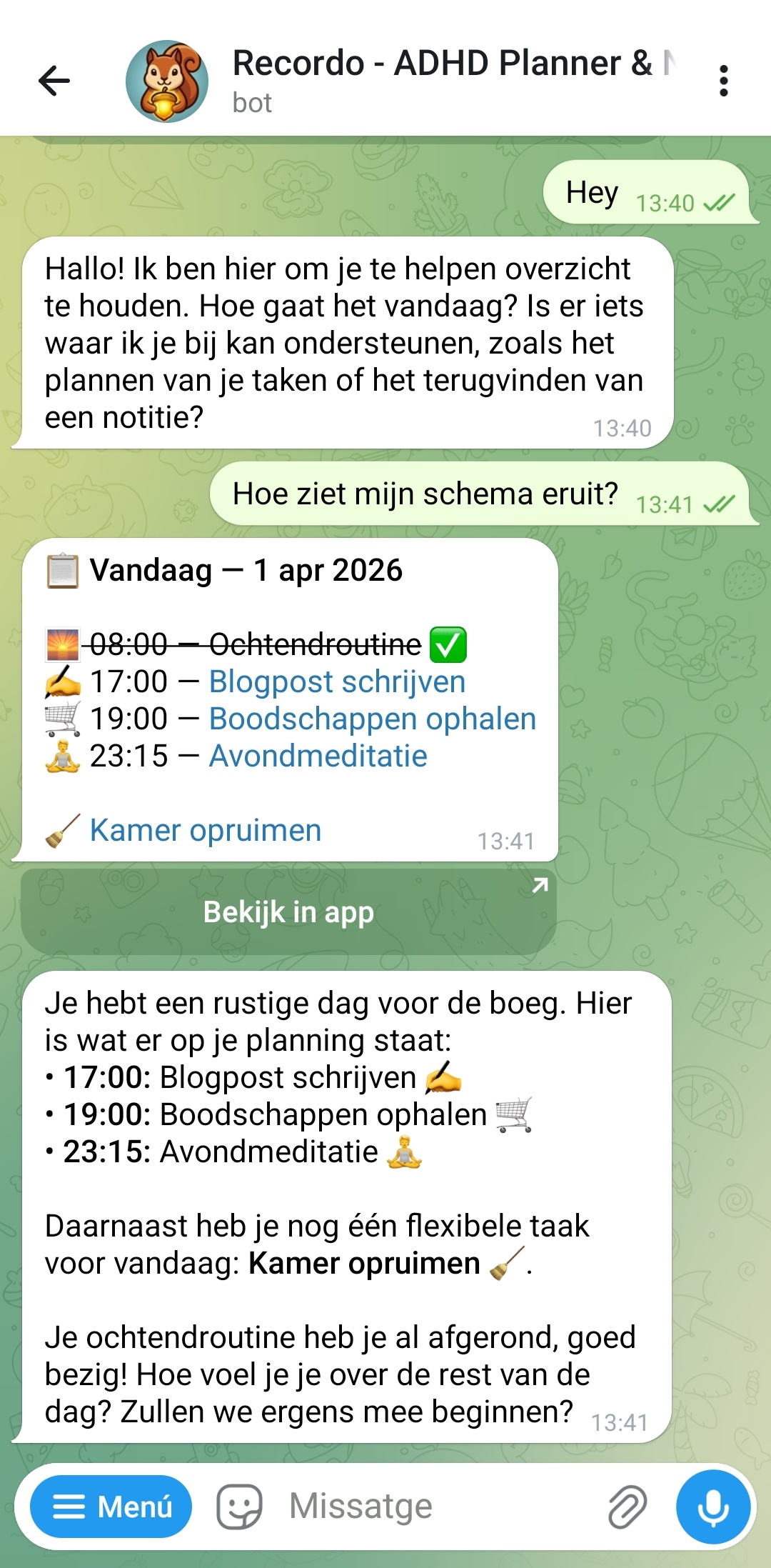
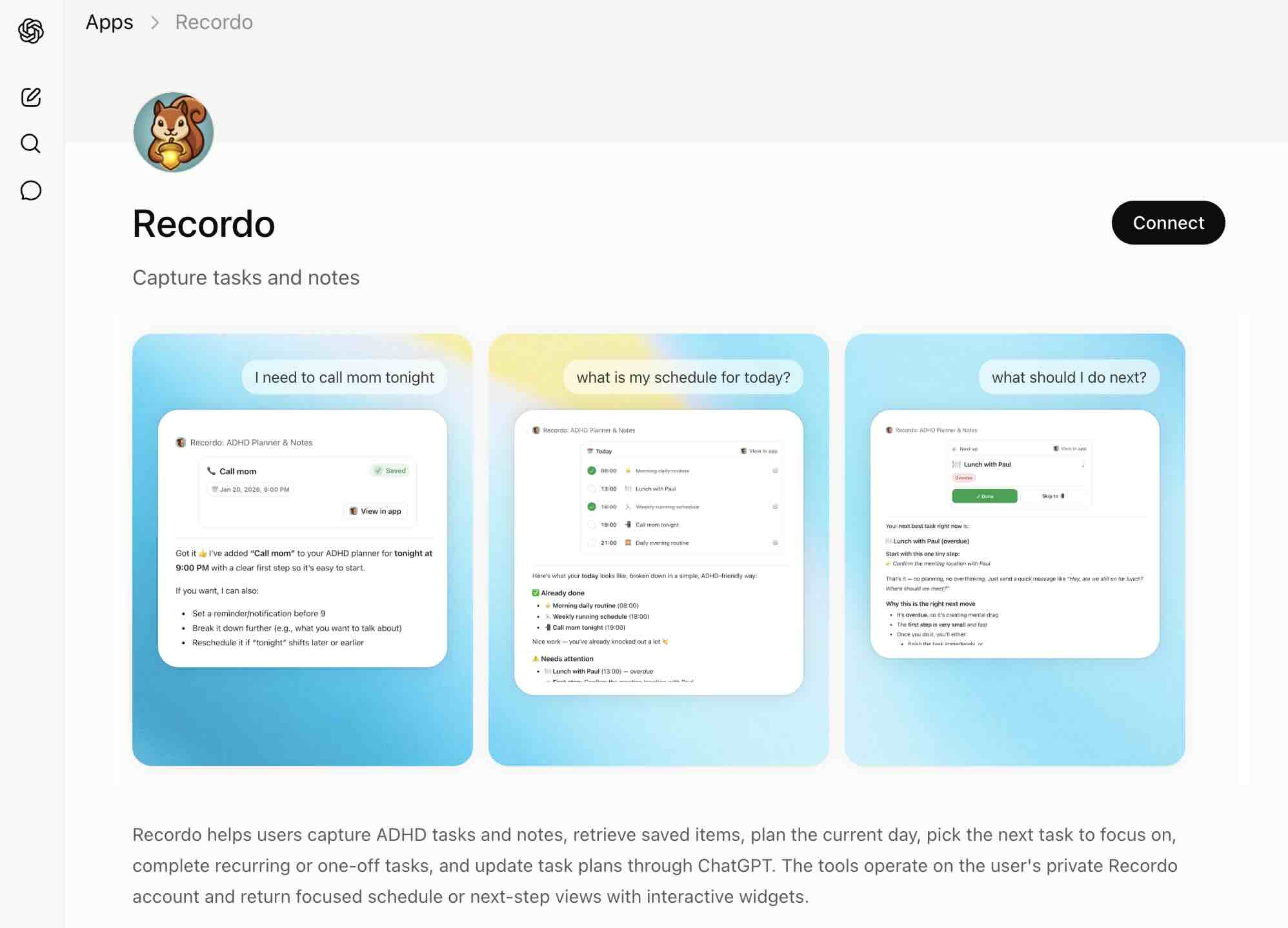
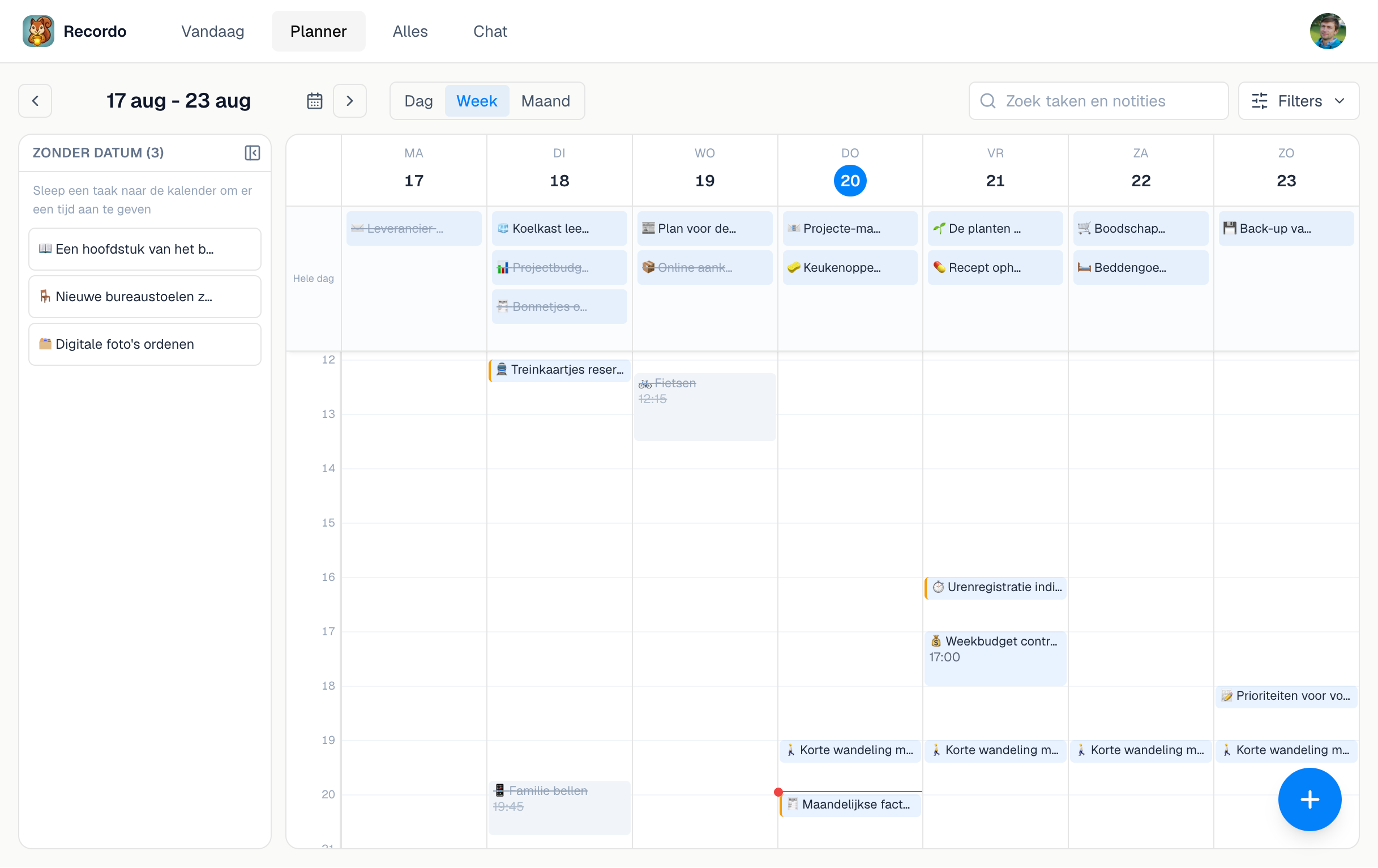
Recordo hoort beschikbaar te zijn waar je gedachten opduiken. Eén account werkt op je telefoon, op je computer en in de chattools die je al gebruikt.
- Mobiele app: de snelste plek om vast te leggen, en voor herinneringen, widgets, Home en Momentum Modus.
- Web-app: log met hetzelfde account in op console.recordo.app om Vandaag, Planner, Alles en Chat op een groter scherm te gebruiken, inclusief een weekplanner waarin je taken naar een tijdstip sleept.
- Telegram: koppel het via Profiel en stuur taken, notities en braindumps rechtstreeks in Telegram als tekst, spraak of foto.
- ChatGPT-app: Gebruik de tools en kaarten van Recordo in ChatGPT om taken toe te voegen, notities op te slaan en je planning te bekijken.
- MCP-gids: Koppel de MCP-server van Recordo als je wilt dat je AI-assistent je Recordo-account leest en bijwerkt zonder van app te wisselen.
Dat is vooral handig als je dag zich al achter een computer, in Telegram of in een AI-client afspeelt en je Recordo daar ook wilt hebben.
12. Begin snel, maar richt het meteen in
Begin je met een lege app, stop dan niet na de eerste braindump. Gebruik die eerste sessie om meteen het kleinste systeem op te zetten dat je echt nodig hebt.
- Leg een paar echte taken en een paar echte notities vast, zodat de app je echte leven laat zien en geen demoversie ervan.
- Geef alles wat tijdgevoelig is een datum en laat de rest flexibel.
- Maak één terugkerende routine aan waarvan je weet dat je hem morgen of deze week tegenkomt.
- Kies een coachpersoonlijkheid, zodat Coach en Momentum meteen goed klinken als je ze nodig hebt.
- Voeg Onvoltooide taken verplaatsen toe via Automatiseringen, zodat morgen begint met een actuele lijst.
- Is er in één deel van je leven veel gaande, maak er dan een project voor en zet de bijbehorende taken erin.
- Gebruik je al Todoist? Open Profiel en kies Importeren vanuit Todoist om je open taken over te zetten in plaats van alles opnieuw op te bouwen.
De Todoist-import is een verhuizing, geen synchronisatie. Recordo importeert open taken en wijzigt of verwijdert niets in Todoist.
Klaar om het te proberen?
Begin met één echte gedachte, één echte taak en één echte notitie. De app wordt nuttig zodra hij de mentale last draagt die je eerst alleen droeg.