Recordo is no longer something you can only open on your phone. Open console.recordo.app with the same account you use on mobile, and your existing tasks, notes, calendar context, and conversations are already waiting.
This is one of the biggest Recordo updates so far. It is not a read-only companion or a stretched phone screen. Today, Planner, Everything, and Chat have been built into a real desktop workspace where you can actively plan, search, edit, reschedule, and work with the assistant. Recordo can now move with you from phone to desk, while mobile remains the fastest place for capture, reminders, widgets, and Momentum Mode.
Start with what matters today
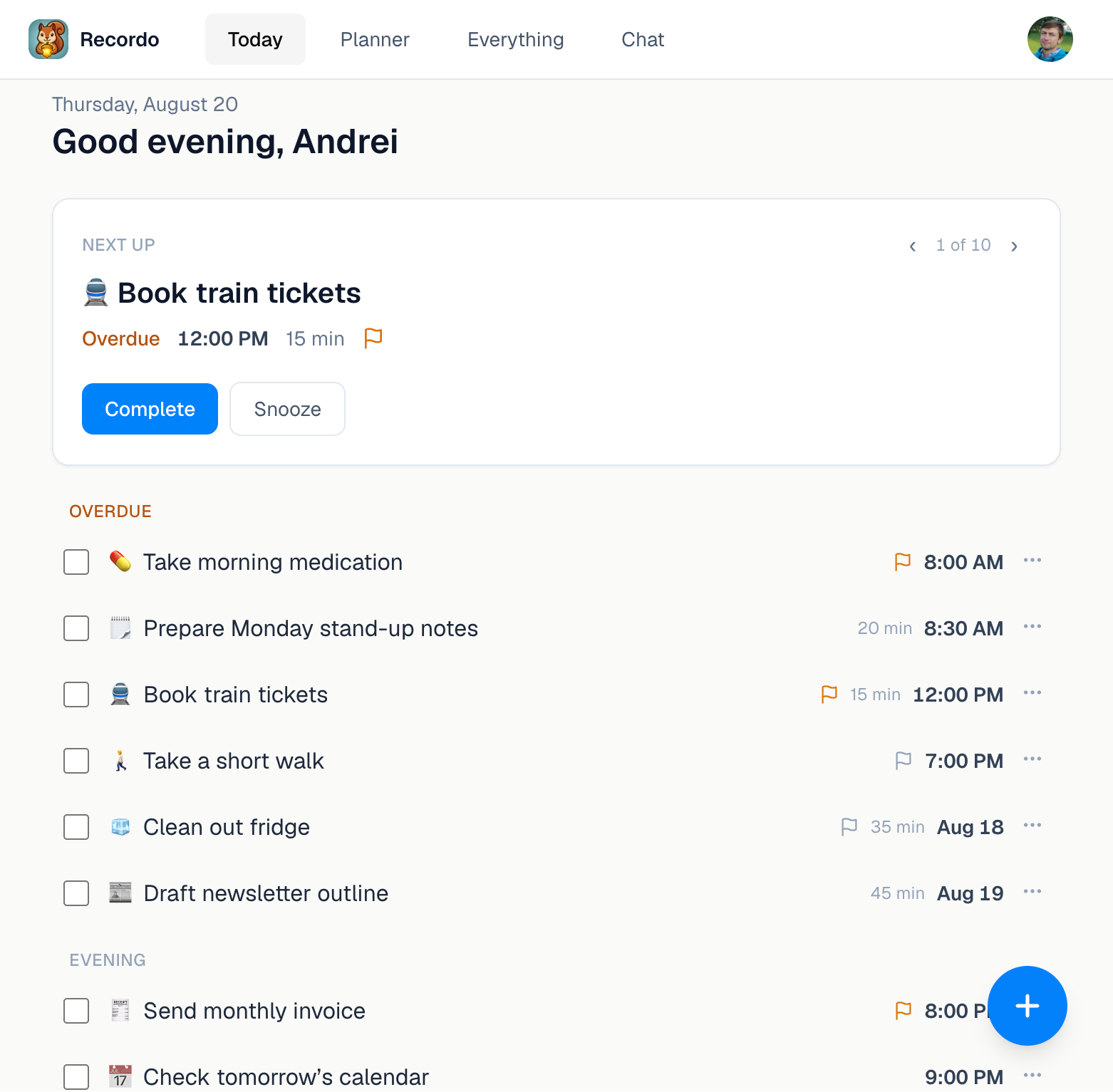
The Today page is the default workspace. It opens with one recommended next task, followed by a clear list of what is overdue, what belongs to today, and what is coming later.
You can complete, snooze, cancel, reschedule, or edit a task without leaving the page. If the first suggestion is not right for this moment, move through the next-task carousel until you find one you can start.
Capture is close by too. Open Chat from the navigation or the floating button, then type, speak, or attach a photo. Recordo can turn the thought into a task or note and refresh the relevant workspace after the change.
See the week instead of holding it in your head
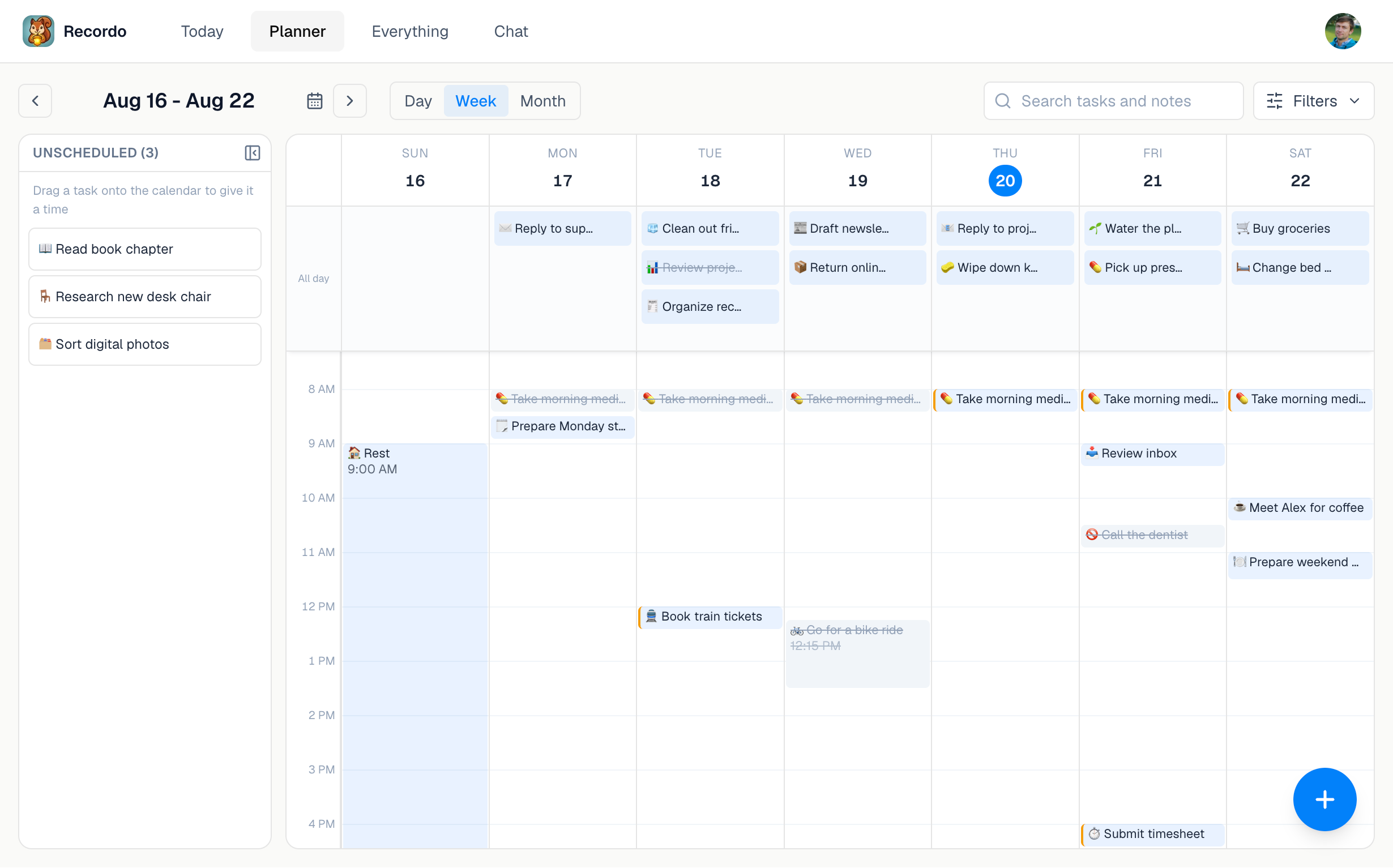
Planner is where the desktop version earns the extra space. Switch between day, week, and month views, then see timed tasks, all-day work, and connected calendar events in one place.
The unscheduled tray keeps tasks that still need a home visible beside the calendar. Drag a one-off task into a time slot to schedule it, move it to another day, or pull it back into the tray to remove the date. You can also resize a timed block from its edges when the planned duration changes.
Search and filters are available directly on the calendar. That makes it easier to isolate work, personal tasks, high-priority items, or a specific tag without losing the planning view.
Find and edit everything without digging
Everything is the searchable library for your tasks, routines, and notes. Use it when you remember one word from an old note, want to review cancelled tasks, or need to edit several details with a keyboard.
Filters cover type, status, due date, creation date, priority, category, and tags. Open an item to change its title, description, schedule, reminders, recurrence, category, or tags. The same item then appears with the updated details on your phone.
Keep the assistant beside the work
Chat on the web uses the same Recordo assistant and server-backed conversation history as mobile. Open an existing conversation or start a new one, ask about your schedule, capture a task, update a note, or work through what to do next.
The useful part is not simply having a chat window on a larger screen. When the assistant changes a task, Today, Planner, and Everything refresh around that result. The conversation and the plan stay connected.
One account, two useful surfaces
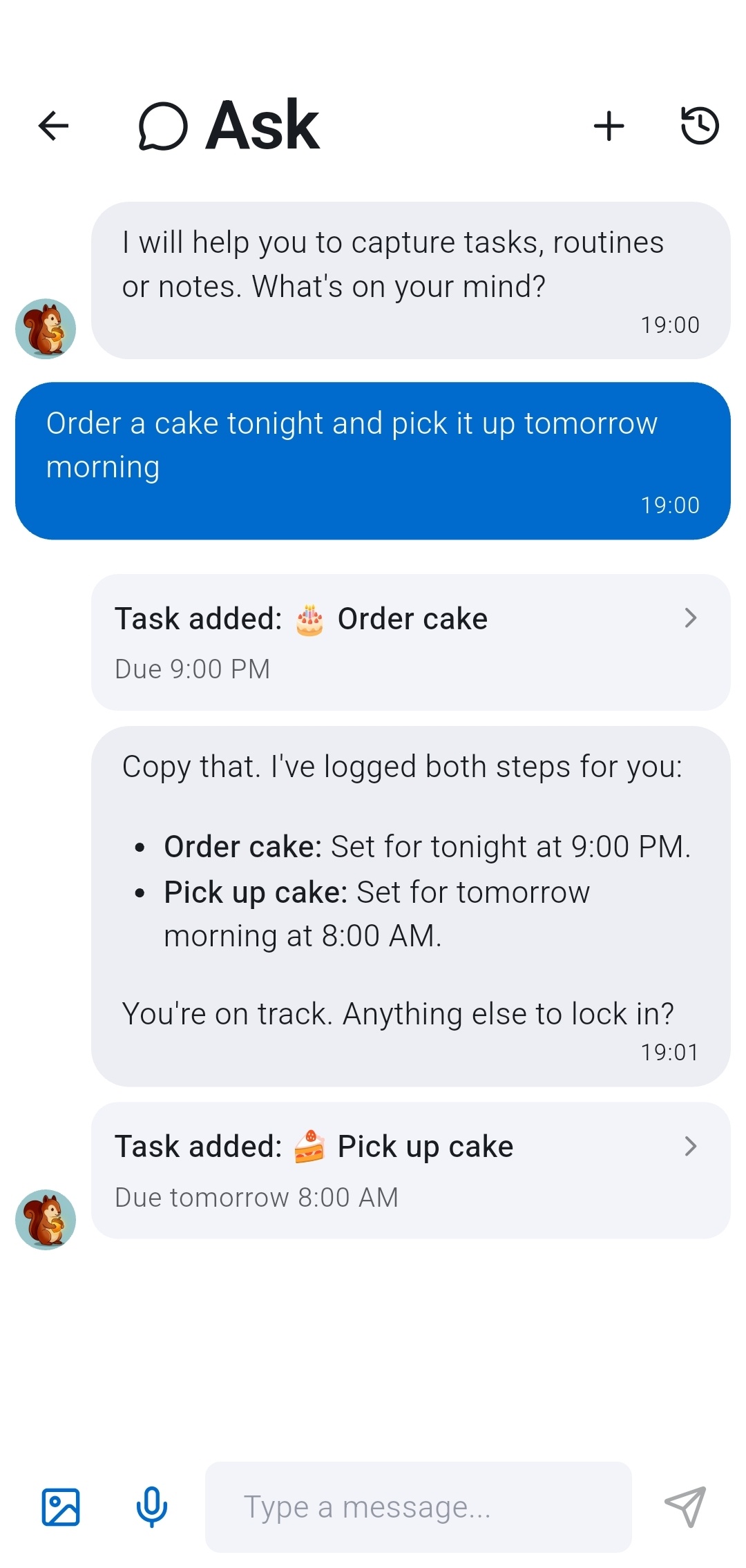
Capture quickly on mobile, then organize on desktop.
Your phone and desktop are two views of the same Recordo account. A task captured by voice while you are walking can be scheduled on the web later. A note edited at your desk is available on your phone when you leave.
The division is deliberate. Use mobile for quick capture, reminders, widgets, and Momentum Mode. Use the web app when you want more room to scan, sort, schedule, and write.
You do not need to choose one or migrate anything between them. Sign in with the same account and continue where you left off.
How to use Recordo on desktop
Open console.recordo.app in your desktop browser and sign in with the same email and login method you use in the Recordo mobile app. Today opens first, with Planner, Everything, and Chat in the navigation.
If you have not used Recordo before, you can create an account from the same sign-in screen. Install the mobile app as well if you want push reminders and fast capture away from your desk.
The web app is available now. This launch gives Recordo a much larger working surface without splitting your system in two. Open it the next time your list feels too large for a phone screen, and give the week somewhere visible to live. The layout also adapts to smaller browser windows, but the wide Planner is where the desktop experience feels most useful.
Discussion
Loading the conversation…
Open the discussion in the Recordo community