ChatGPT + MCP
Bring Recordo Into The AI Chat You Already Use
Add tasks, check your day, and get unstuck without leaving your AI chat. ChatGPT is one-click. Claude and other MCP clients are supported too.
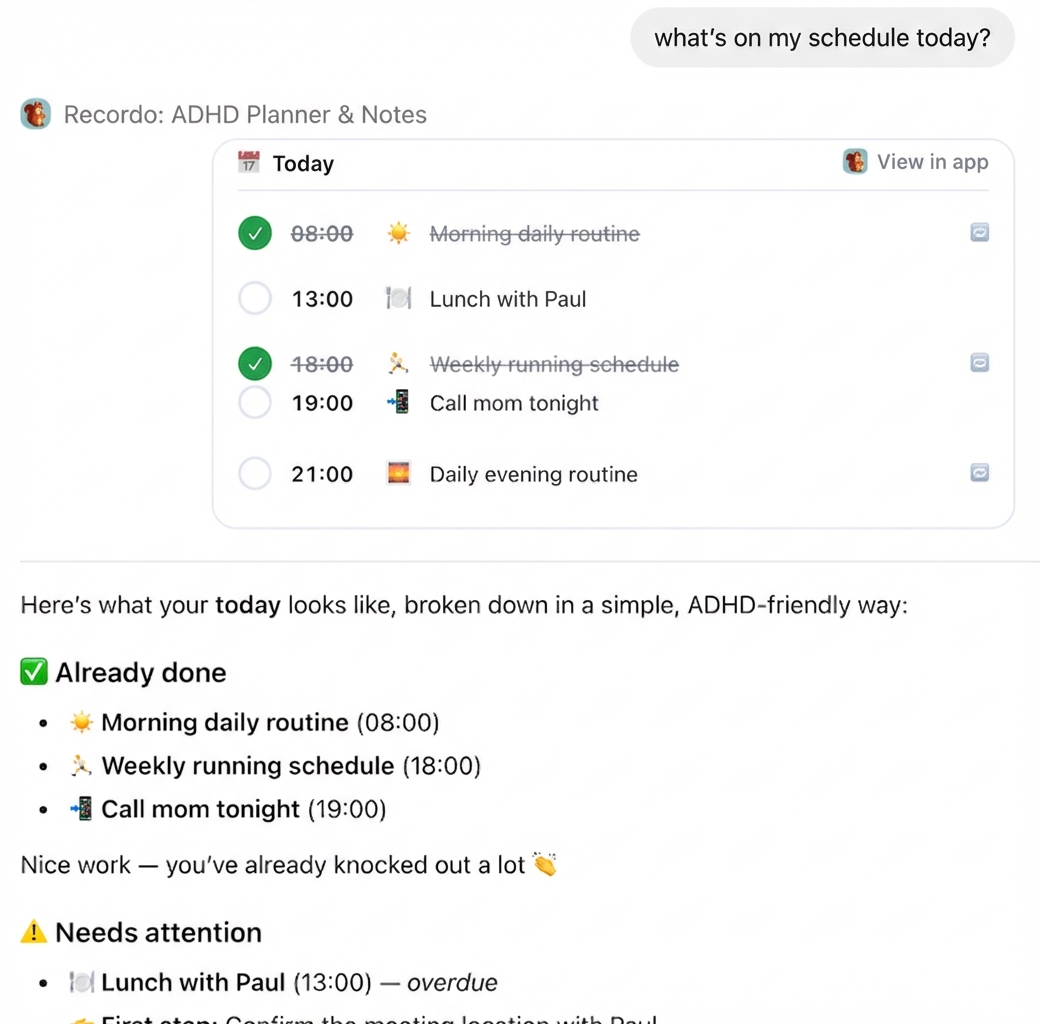
Add tasks, check your day, and get unstuck without leaving your AI chat. ChatGPT is one-click. Claude and other MCP clients are supported too.
Recordo gives your AI assistant direct access to your tasks, notes, and next step.
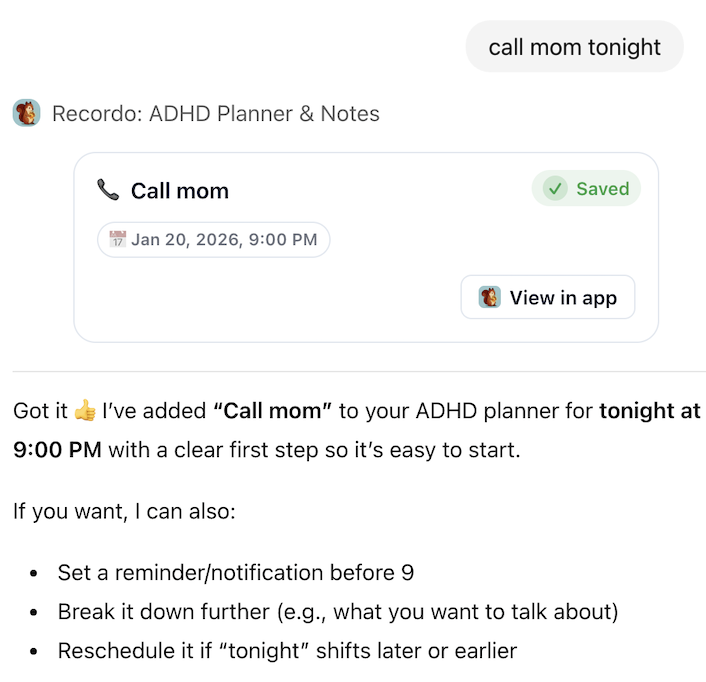
Got a thought? Just say it. "Call mom tonight" or "I need to finish that report" becomes a saved task in Recordo before the moment slips away.
Ask what is on your schedule today and get a clean, ADHD-friendly view of what is done, what needs attention, and what is coming next.
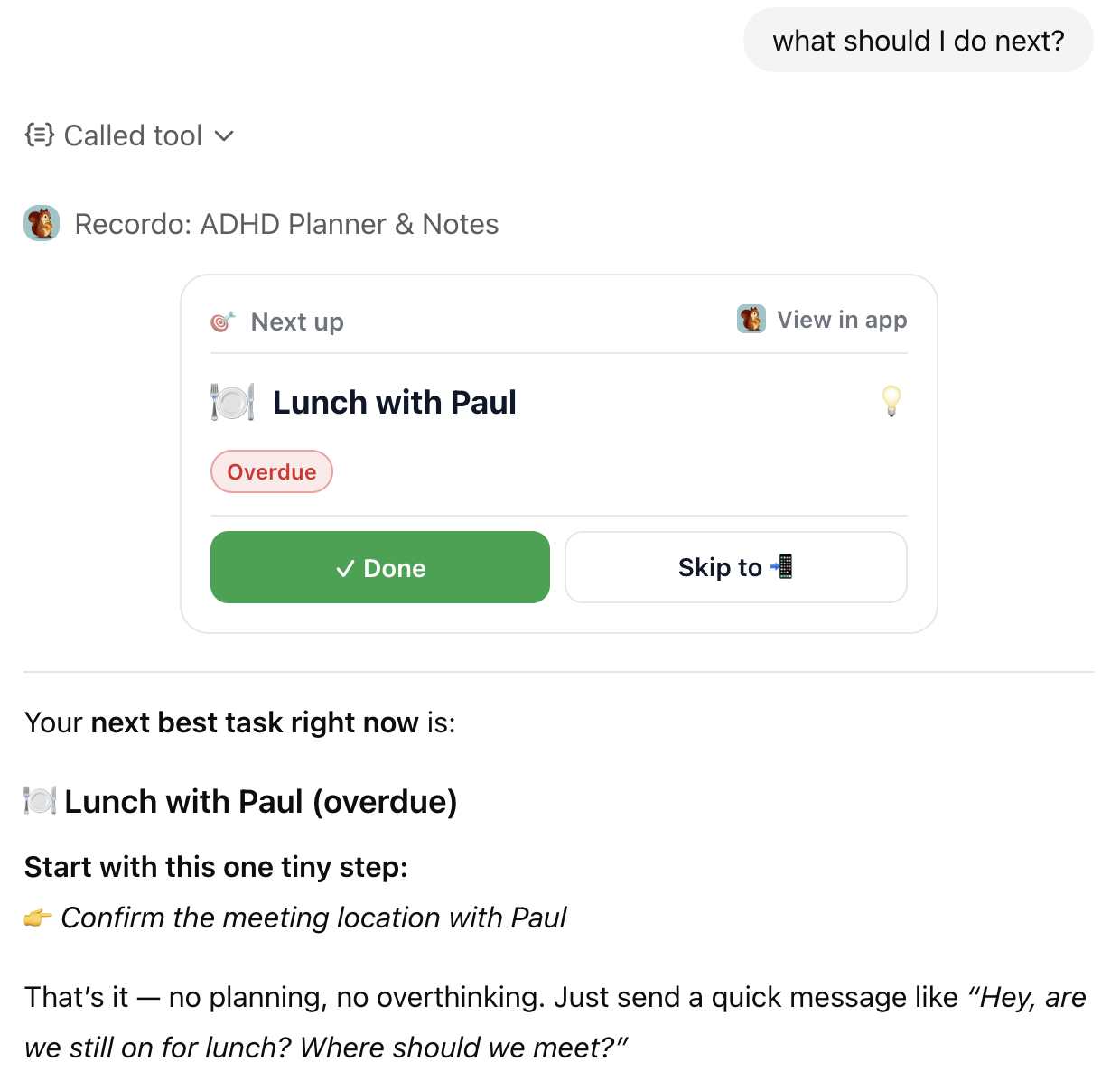
Feeling stuck? Ask what to do next and Recordo gives you one concrete task to start with, not a vague productivity speech.
When the connector launches, you will be able to turn a thought into a saved task or note, check what needs attention, and update your progress from a Muse conversation.
Preview Muse integration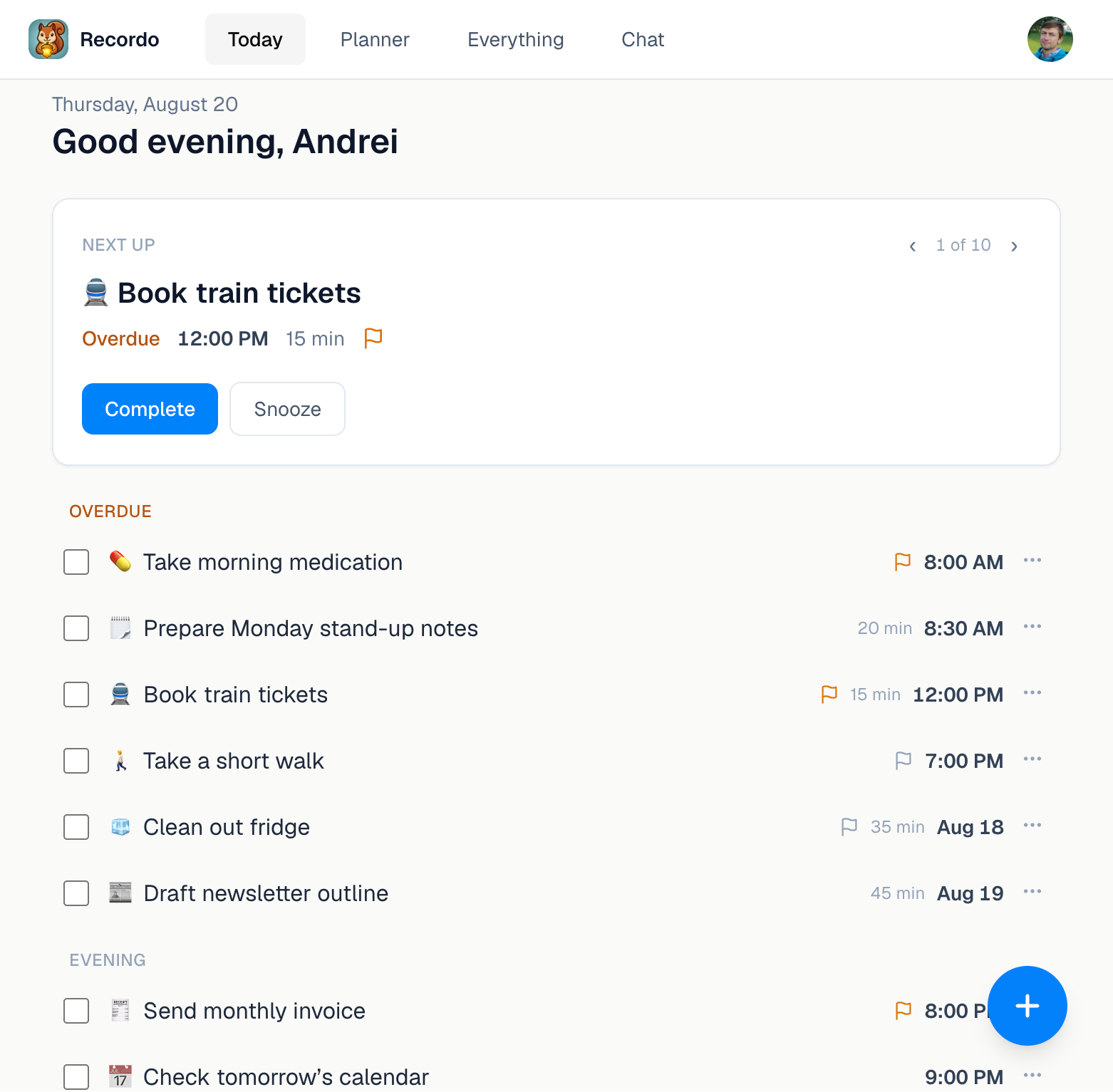
Choose the assistant you already use. ChatGPT is the easiest way to begin, and Claude plus other MCP clients are supported too.
Open the app page, connect your account, and start using Recordo immediately in ChatGPT
Click Add to ChatGPT to open Recordo in ChatGPT
Sign in once so ChatGPT can access your Recordo tasks and notes
Ask Recordo to add a task, show today's plan, or tell you what to do next
Open the app page, connect your account, and start using Recordo immediately in Claude
https://api.recordo.app/api/mcp/adhd/mcp
In Claude Desktop, click your profile icon and go to Settings
Navigate to the Connectors section in the sidebar
Click "Add custom connector" and paste the Recordo server URL
You'll be prompted to sign in or create a Recordo account to connect your data
Once connected, you can add tasks, check your day, and ask Recordo what matters next
Full MCP docs: modelcontextprotocol.io.
https://api.recordo.app/api/mcp/adhd/mcp
Use the copy button to grab the URL
Create a remote MCP server in your client and paste the copied URL
You'll be prompted to sign in or create a Recordo account to connect your data
Need client-specific MCP docs? See modelcontextprotocol.io.
Use the app for voice capture, reminders, focus mode, and everything else that works best outside the chat