Invite with a link
Open the project, tap “Share project”, then “Invite someone”, and send the link in any messenger. Each link lets one person join and works for 7 days.
When one person carries the whole list in their head, things slip and resentment builds. Share a project in Recordo, like the move or the household chores, and you can both add tasks, check them off, and get the reminders. You see who added what and who finished it.
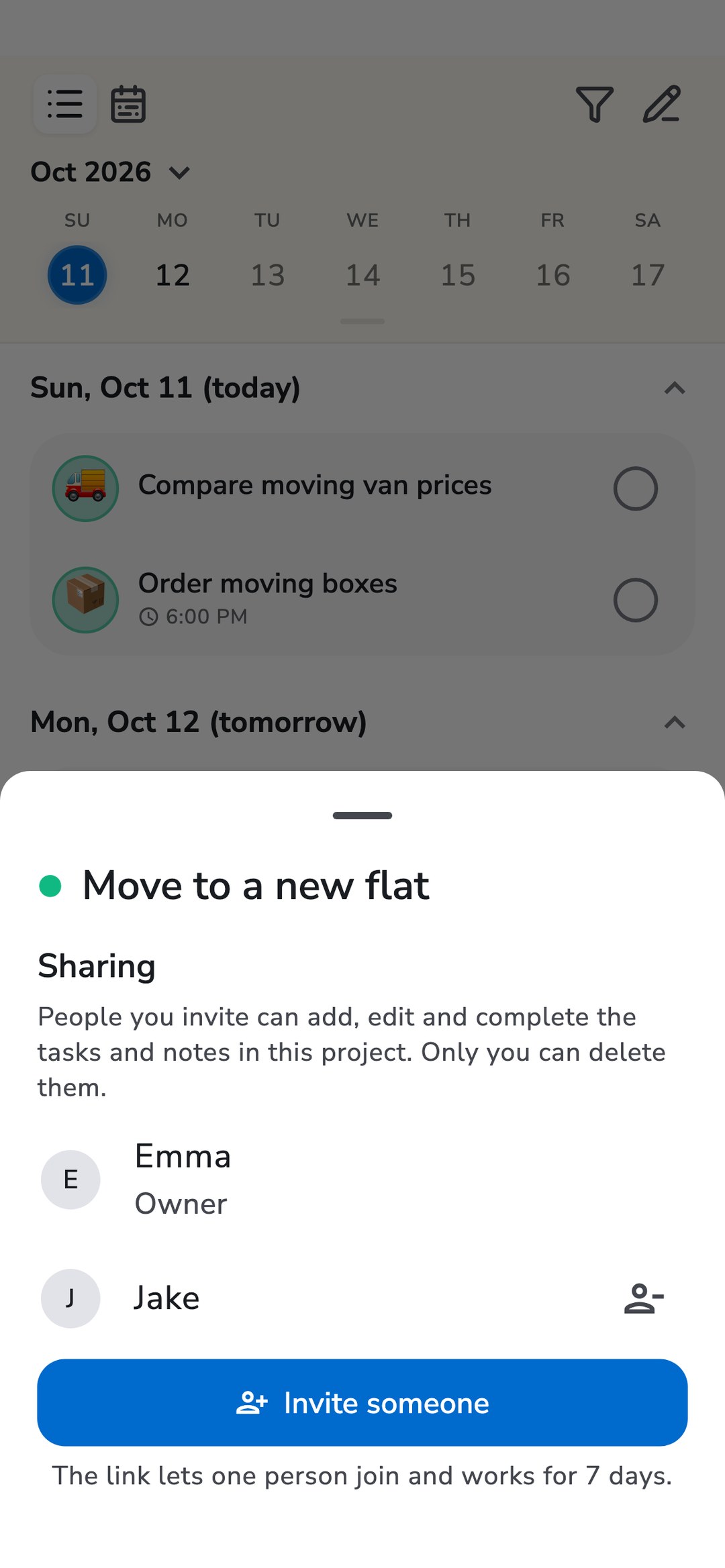
A project is a list with a goal: a move, a trip, the household. Share one and it becomes a list you both keep.
Open the project, tap “Share project”, then “Invite someone”, and send the link in any messenger. Each link lets one person join and works for 7 days.
Everyone in the project can add, edit, and complete its tasks and notes: by typing, by voice, or by asking the coach. Tasks outside the project stay private.
When someone else adds a task or finishes one, you get a notification. A task with a time reminds everyone in the project who has notifications on, and the task shows who completed it.
Emma shares “Move to a new flat” with Jake. On Monday she dictates a few tasks on the way home, and they show up in Jake’s app. Jake adds “Call landlord about the deposit” for Tuesday at 11:00, and both phones get the reminder. When Jake checks off “Order moving boxes”, Emma gets a notification that it is done and does not have to ask.
Sharing is per project, so you choose exactly what the other person sees.
Your other projects, your unsorted tasks, and your chats with the coach stay private.
The tasks belong to the person who shares the project. Others can add, edit, and complete, but only that person can delete a task, move it out of the project, or remove people. Anyone can leave at any time.
Has a task of yours turned into something for both of you? Change its project to the shared one. Recordo asks first, because from then on it belongs to the person who shares the project.
Joining is free. The person who shares a project needs Recordo Pro. The people they invite can stay on the free plan.
As many as you like. Each invite link is for one person, so create a link per person.
They need a free Recordo account. The invite link opens the app when it is installed on the phone, and otherwise a web page where they can join and use Recordo in the browser.
No. They see only the tasks and notes of the project you shared with them.
Yes. A task with a date and time reminds everyone in the project who has notifications on. If someone completes it from the notification, it is completed for everyone.
The project and its tasks stay with the person who shared it. Whoever left or was removed no longer sees them. If that person’s Pro plan ends, sharing pauses until it is renewed.
Share one project and let the list remind you both