The trouble is that your list does not know that. Those tasks sit between "Buy groceries" and "Book dentist appointment", spread across different days, mixed with everything else. The goal itself has no row. It exists only in your head, and with ADHD, your head is not always the most reliable place to keep it.
So the goal fades. Not because you stopped caring, but because nothing on the screen reminds you that these small tasks are connected, or that the whole thing has not moved in two weeks.
Give the goal a place to live
Recordo now has Projects. A project is a simple container for related tasks and notes: a goal you are working toward, or a topic you want to keep together.
On Home, tap Focus on a project, then New project. Give it a name, a color, and, if you like, a line under What is this project for? Finding a job, planning a move, or collecting trip ideas all work.
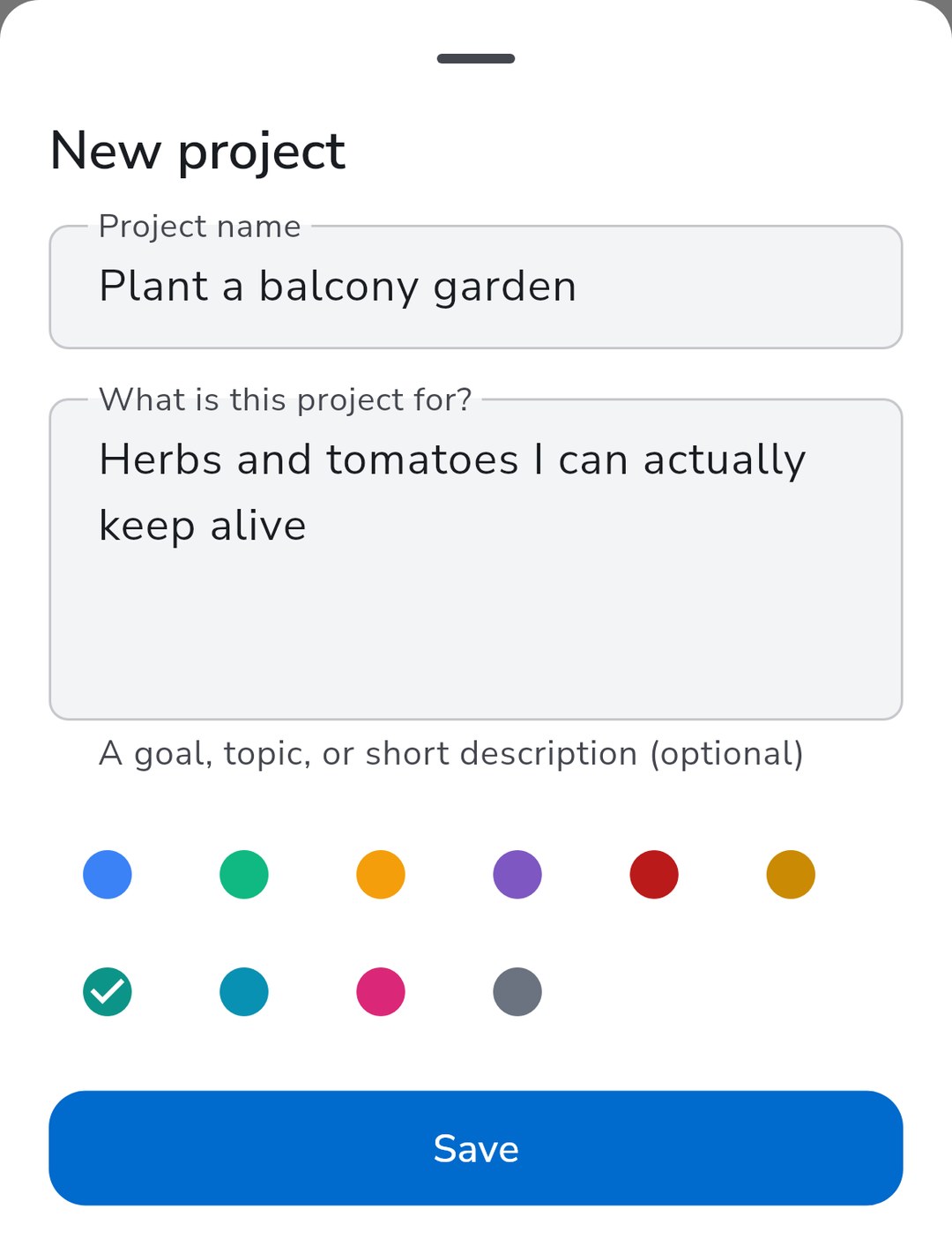
That description is not decoration. It is the part your future self needs most when the original motivation has gone quiet. It also gives your coach context later on.
Each task or note belongs to one project or none. You can set it from the Project field when you open a task. Adding a task to a project does not change its date, reminder, or recurrence. A project is a way of grouping, not another schedule to maintain.
Narrow the day to one thread
Some days you do not need the whole list. You need to make progress on one thing without the other forty pulling at you.
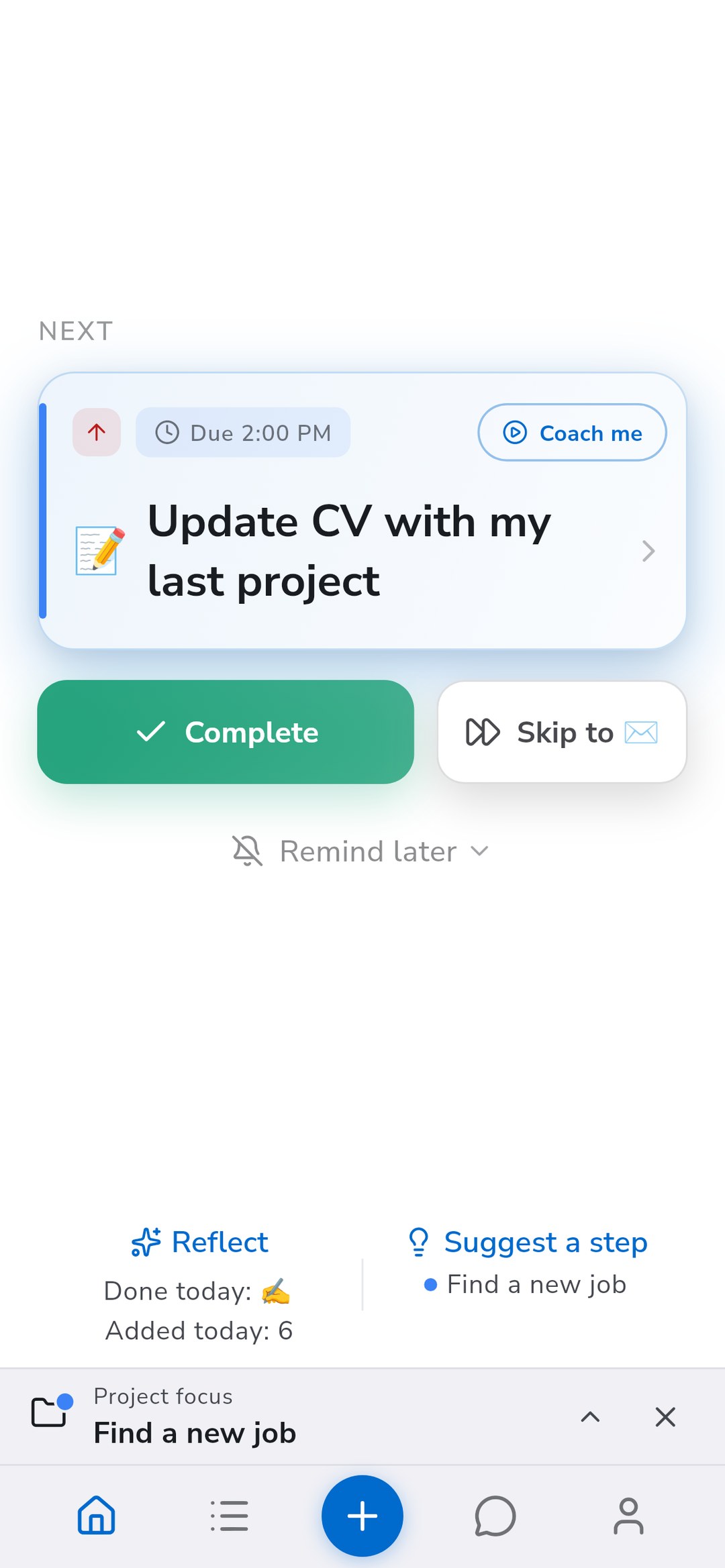
Pick a project under Focus on a project. Your next task on Home now comes from that project, and a small bar above the navigation shows what you are focused on.
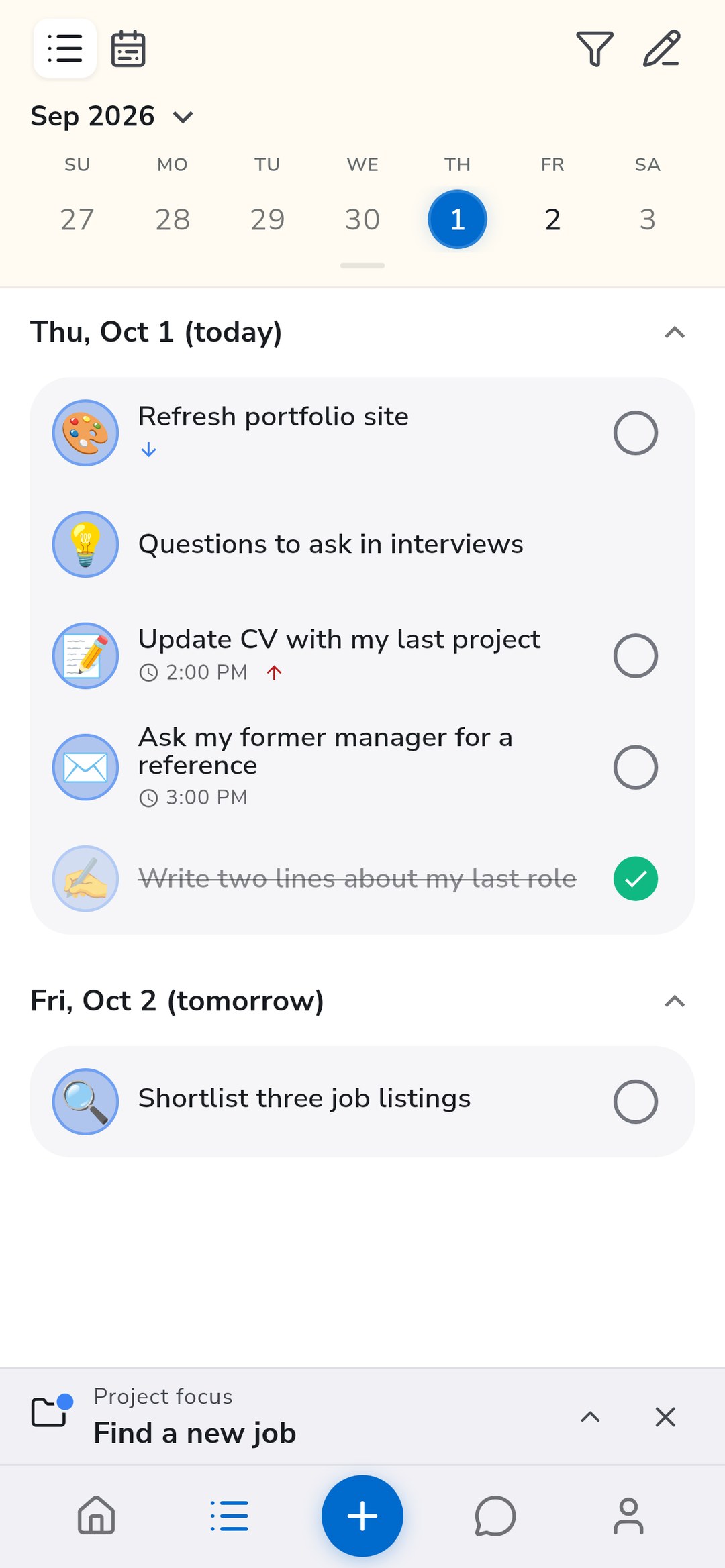
The focus follows you. Your task list shows only that project, including undated tasks and notes that would otherwise sit somewhere you never scroll. New tasks you add, by hand or with your Coach, join it automatically.
When you are done, tap the cross on the focus bar and everything comes back. This is not a commitment for the whole day. It is a way to say "for the next hour, this is what counts" and have the app agree with you.
Capture first, sort later
When a thought arrives, deciding where it belongs is one more small decision standing between you and writing it down. That decision is often enough to make you skip the capture entirely.
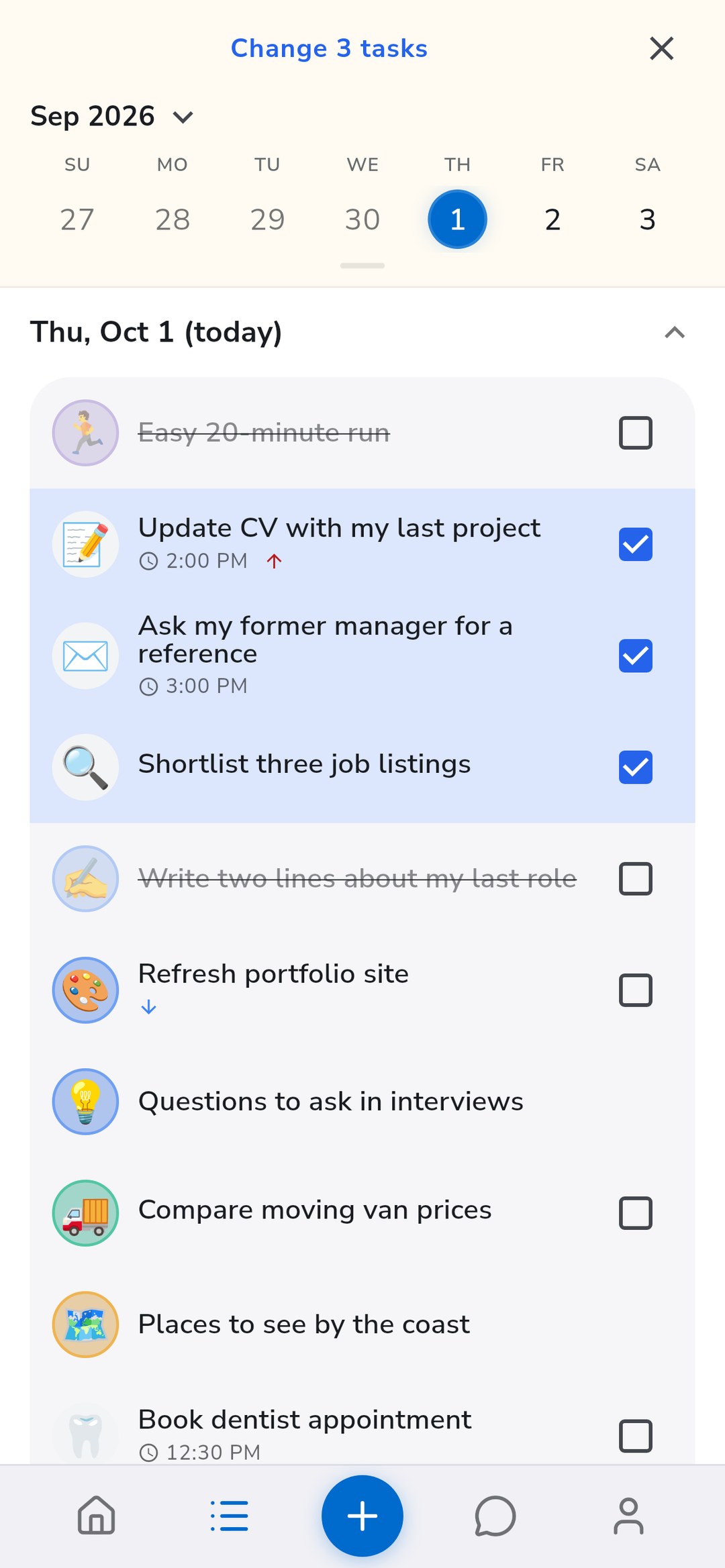
You do not have to make it then. Capture the task the way you always do. Later, when you have a quiet minute, long-press a task in the list to select it, tap a few more, then tap Change 3 tasks and choose Move to project.
The same menu can move several tasks to another date at once, which helps when a whole cluster of things needs to slide to next week.
Ask for the next step, not the whole plan
A goal can stall because the next step is unclear. "Find a new job" is too big to start. "Write two lines about my last role" is not.
While a project is in focus, tap Suggest a step on Home. Your coach looks at the project's description, what you have already finished, and the tasks that are still open, then suggests one concrete next step. If that step is not already a task, it offers to add it to the project. Nothing changes until you say so.
You stay in charge of what goes on the list. The coach just helps you find a way in.
Small on purpose
Projects do not have milestones, progress bars, deadlines, or sub-projects. That is deliberate. Every extra field is one more thing to keep up to date, and a system that needs maintenance tends to get abandoned at exactly the moment you need it.
Projects are free to use, with no limit on how many you create. Start with the one goal that keeps slipping out of view, give it a name and a sentence about why it matters, and see whether keeping it in one place makes it easier to come back to.
Discussion
Loading the conversation…
Open the discussion in the Recordo community