With ADHD you might be the one who forgets whatever isn't written down where you can see it. Or you might be the one holding the list, which is tiring in its own way. Either way, a list only one of you can see isn't really shared.
Share one project, not your whole account
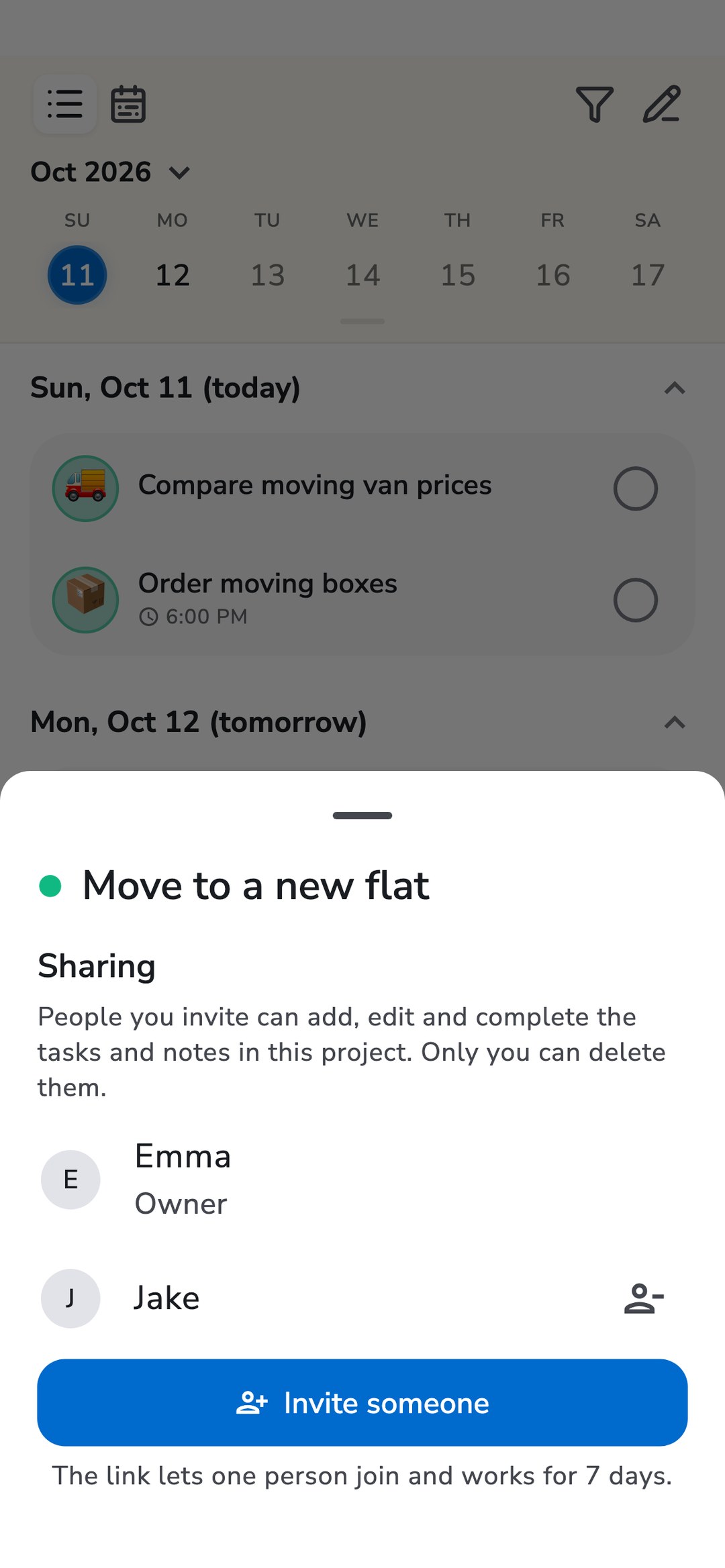
Recordo projects can now be shared. A project is a list with a goal: the move, the trip, the weekly shop. Share one, and it becomes a list you both keep.
Tap the pencil next to a project in your project list, or tap the focus bar while the project is in focus. Then tap Share project, then Invite someone, and send the link in any messenger. Each link lets one person join and works for 7 days, so for three people you create three links.
Only that project is shared. Your other projects, your tasks without a project, and your conversations with the coach stay private. The other person sees the move, not your dentist appointment.
I built it per project on purpose. Sharing a whole account means sharing everything, and most of the time you want to share one part of your life, not all of it.
Plan in the same list
Everyone in a shared project can add, edit and complete its tasks and notes, the same way they handle their own: by typing, by voice, or by asking the coach. While the project is in focus, new tasks join it automatically.
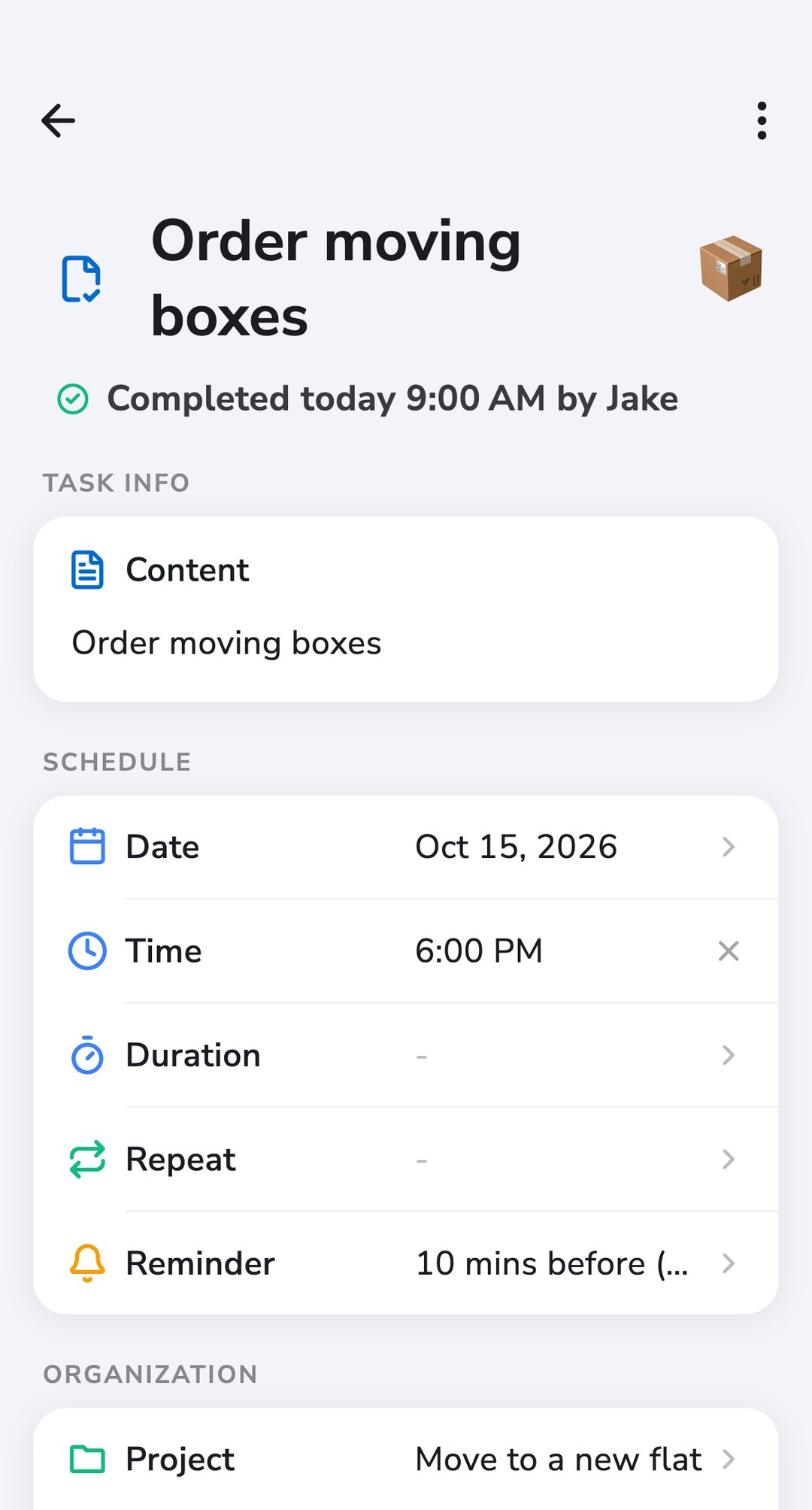
Each task shows who added it and, once it's done, who completed it. "Did you already order the boxes?" becomes something you can look up instead of something you have to ask.
The list reminds both of you
This is the part that matters most if remembering to check a list is the hard part.
When someone else adds a task or completes one, you get a notification, like "Jake completed: Order moving boxes". A task with a time reminds everyone in the project who has notifications on. If one of you completes it from the reminder, it's done for everyone, so nobody does the same thing twice.
Who can change what
Shared doesn't mean anyone can wipe the list. The tasks belong to the person who shared the project. Everyone can add, edit and complete, but only the owner can delete a task, move it out of the project, or remove someone. Anyone can leave at any time, and the tasks stay with the owner.
If one of your own tasks turns into a joint one, change its project to the shared one. Recordo asks first, because from then on it belongs to the person who shared the project.
What it costs
Sharing a project needs Recordo Pro. Joining is free: the people you invite can stay on the free plan. They need a Recordo account. The invite link opens the app if it's installed, and otherwise a page where they can join and use Recordo in the browser. Shared projects work in the web app too.
If the owner's Pro ends, sharing pauses until it's renewed, and the tasks stay with the owner.
Start with the one you keep asking about
Pick the project you keep asking each other about: the move, the holiday, the chores. Share that one, add the next few tasks together, and let the reminders do the asking.
Discussion
Loading the conversation…
Open the discussion in the Recordo community