Let Recordo read your Todoist
Tap Continue with Todoist and sign in. Recordo asks only to read your tasks, uses that access for this one import, and disconnects when it is done.
Even a good list leaves the sorting, choosing, and starting to you, and with ADHD that is often where the day stalls. Recordo puts one next task on top, helps you start it, and reminds you on time. Your open Todoist tasks come over in a few taps, with their dates, priorities, routines, and projects.
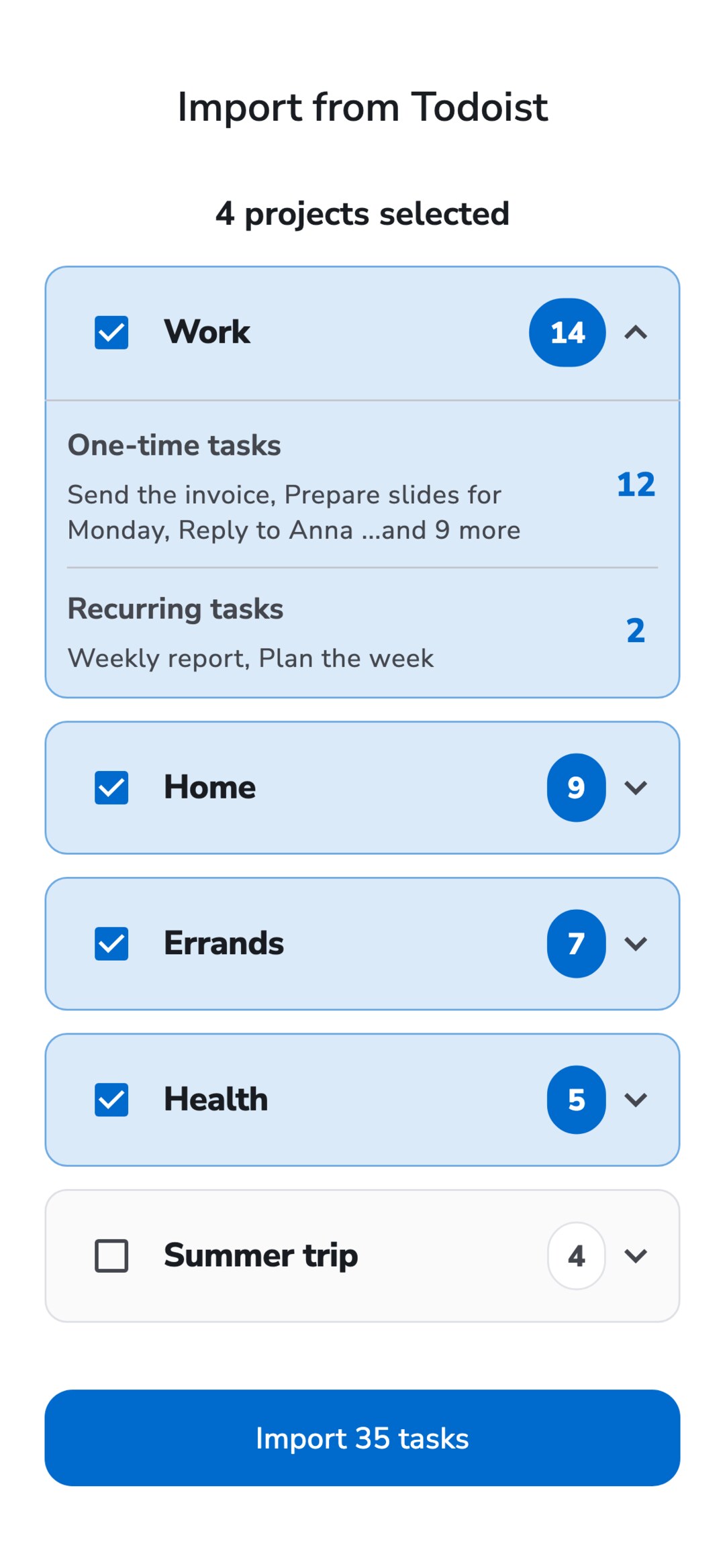
The import is in the Recordo phone app under Profile, Import from Todoist. It takes one sign-in and one choice.
Tap Continue with Todoist and sign in. Recordo asks only to read your tasks, uses that access for this one import, and disconnects when it is done.
You see every Todoist project that has open tasks, split into one-time and recurring. Uncheck what you want to leave behind, then start the import.
Tasks land in Recordo projects with the same names, and Inbox tasks stay outside any project. Tap View tasks to see everything that came over.
Every open task arrives as a regular Recordo task, with its description and comments in the notes. Due dates and times stay the same, and priorities P1, P2, and P3 become high, medium, and low. Recurring tasks become Recordo routines that keep their time of day, and a reminder tied to the due time comes along. Each project becomes a Recordo project with the same name, sub-projects appear as “Work / Clients”, and labels become tags.
Completed tasks, file attachments, and sections stay in Todoist, along with any project you left unchecked. If Recordo cannot read a repeat pattern safely, that task comes over as a one-time task on its next date, so nothing gets lost. Recordo is an independent app and is not affiliated with Todoist.
Imported tasks are ordinary Recordo tasks, so the tools built for ADHD work on them from day one.
Recordo looks at what is overdue, due today, and marked important, and puts one task on top. Skip it or push it back, and the next one is already waiting.
Momentum Mode breaks a stuck task into small steps, the Coach suggests one concrete first action, and a timer runs next to the plan.
Type or say a task in plain words, like “call the dentist at 3, remind me an hour before”, and Recordo saves it with its time and reminder.
No. Recordo asks for read-only access, uses it for this one import, and disconnects when the import finishes. Your Todoist tasks, projects, and settings stay exactly as they were.
No. It is a one-time move, not a sync. Tasks you add to Todoist later do not appear in Recordo, but you can run the import again: tasks already imported are skipped.
No, only open tasks come over. Completed tasks and file attachments stay in Todoist.
Each import brings up to 300 tasks. If you have more, run it again: tasks that already came over are skipped, so the next run picks up the rest.
They become Recordo routines with the same schedule and time of day, so checking off today’s does not end the routine. If a repeat pattern cannot be converted safely, the task comes over as a one-time task on its next date.
Yes. Importing from Todoist is free, and so are projects, recurring tasks, reminders, and the calendar views. Pro adds calendar integration and more AI chat each day.
The import runs in the Recordo app on iPhone and Android. Once it finishes, the same tasks are also in the web app at console.recordo.app.
If Todoist already helps you get things done, keep it. Recordo is for when the list has become one more thing you avoid. Since the import never changes Todoist, you can try Recordo with your real tasks and keep Todoist as it is.
Import your open Todoist tasks, choose the projects that matter, and let Recordo show you what to do next