Old tasks land on today
Open tasks dated before today with no specific time move to today. Their title, notes, priority, and other details stay the same.
Yesterday’s leftovers pile up on old dates until the list feels too stale to open. Add the Move unfinished tasks automation once, and every morning Recordo brings open tasks from earlier days to today, leaves timed and recurring tasks alone, and tells you what moved.
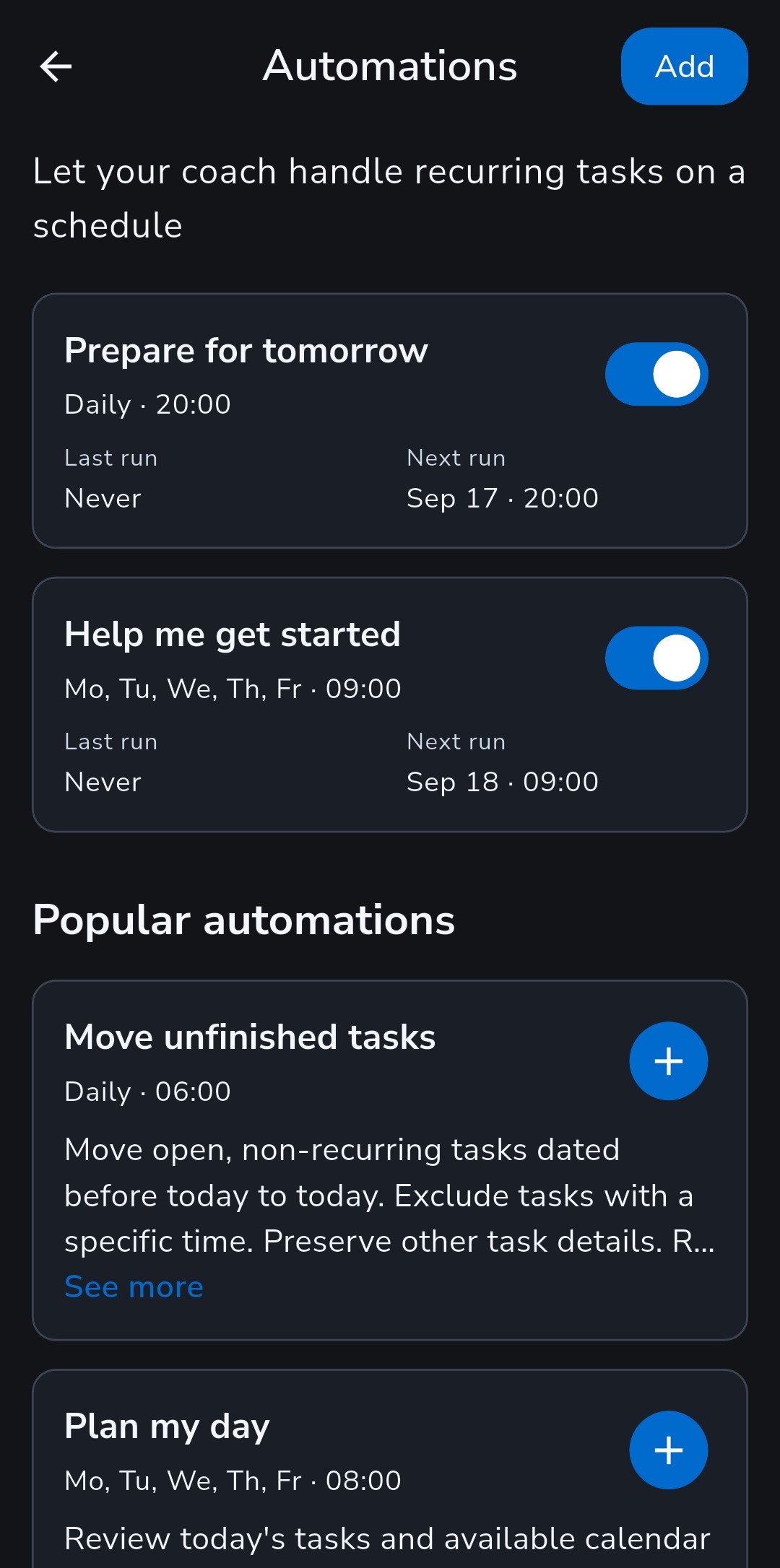
The preset runs every day at 6:00 in your profile timezone by default, even when the app is closed. Change the time or days whenever you like.
Open tasks dated before today with no specific time move to today. Their title, notes, priority, and other details stay the same.
Tasks with a set time, recurring tasks, undated tasks, and anything completed or cancelled are left exactly where they are.
Each run writes a short summary of what moved and what it left alone. With Notify on and notifications allowed, it reaches you as a notification, and it stays quiet when nothing needed moving.
On Tuesday you didn’t get to “Call the dentist” or “Return the parcel”, and “Team call” was set for 3 pm that day. At 6:00 on Wednesday the automation runs. The two untimed tasks move to Wednesday, the call stays on Tuesday, and your summary reads something like “Moved 2 tasks to today. Left 1 task with a specific time unchanged.” You start the day from a current list instead of scrolling back through old dates.
Move unfinished tasks is one of six ready-made automations under Popular automations. Add any of them with one tap and adjust the schedule, or write your own.
Weekdays at 8:00: a realistic plan for today’s tasks and your connected calendar, with breaks and one easy starting step. It does not change your tasks.
Weekdays at 9:00: one manageable task for today and a concrete first step. If nothing fits, it tells you so.
Describe what you want in plain words, choose a time and days, and decide whether to be notified. Prepare for tomorrow, Weekly reset, and Weekly progress are ready to add too.
Open, non-recurring tasks dated before today with no specific time. Undated, timed, recurring, completed, and cancelled tasks stay where they are.
No. Only the date moves. Title, notes, priority, and other details stay the same, and you can open each run to see exactly what it did.
Yes. It starts at 6:00 every day in your profile timezone. Change the time or days, pause it, or tap Run now. A scheduled run can start a few minutes after its set time, never before.
Yes. Automations run on Recordo’s servers on schedule, so the app does not need to be open. Results appear in the automation’s history and in Chat.
Yes. Open the run to see the full conversation and reply, for example to ask your coach to move one task to Friday. Replies don’t change future runs.
Yes. The free plan includes one active automation, so you can keep rollover on at no cost. Pro removes the limit on active automations. Scheduled runs don’t use your daily chat messages, but replies to a run do.
Add Move unfinished tasks once, and each morning begins from today instead of last week.